Sharp Corporation
3G Gateway
DN3E6JE088
Gateway
HW: 1 FW: 4.33:01.01
SD3502
6.61.00
0x010B (267)
0x4561 (17761)
0x0088 (136)
ZC10-18015944
2018-01-09 23:23:01.656321
N/A
Static Controller
Central Static Controller
This product is a Gateway for IoT with functions of 3G and Z-Wave communication.
This Product is a Z-Wave Gateway with 3G function. It can access internet and upload sensor data collected from Z-Wave slave devices to cloud server anywhere 3G communication is available.
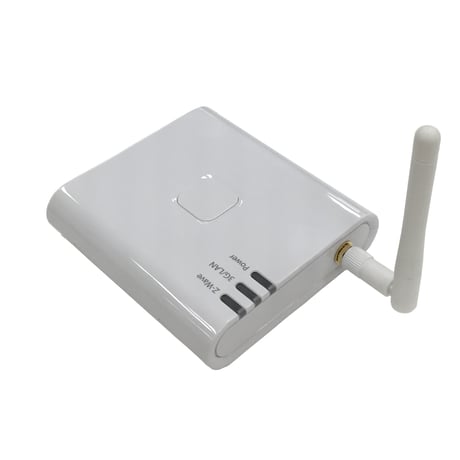
Product Picture
When you tap the Setting button in Moble Application, Settings dialog is displayed. Then select ""Learn Mode"", and this will put the product into Learn mode.
When you tap the Setting button in Moble Application, Settings dialog is displayed. Then select ""Reset"" and press “RESET” button in Factory Default Reset dialog. This will reset the Z-Wave chip and all LEDs blinks, and the product will broadcast the “DEVICE RESET LOCALLY NOTIFICATION” after restart. If this controller is the primary controller for your network, resetting it will result in the nodes in your network being orphaned and it will be necessary after the reset to exclude and re-include all of the nodes in the network. If this controller is being used as a secondary controller in the network, use this procedure to reset this controller only in the event that the network primary controller is missing or otherwise inoperable.
To add a device to the Z-Wave network, press “Inclusion” button in Mobile Application or press the Z-Wave button of the product once. This will put the product into Inclusion mode and Z-Wave LED blinks slowly.
To remove a device from the Z-Wave network, press “Exclusion” button in Mobile Application or hold down the Z-Wave button of the product (over 3 seconds). This will put the product into Exclusion mode and Z-Wave LED blinks quickly.
| Type | Value(s) |
|---|