Aeotec
NanoMote One
ZWA004-A
Wall Controller
HW: 1 FW: 1.00
ZM5101
6.71.01
0x0371 (881)
0x0102 (258)
0x0004 (4)
ZC10-18036040
2018-01-23 21:26:16.591357
N/A
Enhanced 232 Slave
Portable Slave
Yes
The NanoMote One is a wireless, portable and rechargeable scene switch. It can control a Z-Wave device, such as smart plug, smart dimmer with a Z-Wave gateway.
The NanoMote One is a wireless, portable and rechargeable scene switch. It can control a Z-Wave device, such as smart plug, smart dimmer with a Z-Wave gateway. You can also activate a scene like sleep scene, movie scene and entertainment scene with it.
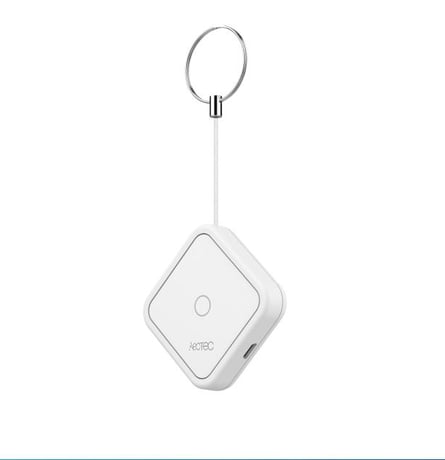
Product Picture


32 - Level of low battery
Define a battery level as the “low battery”.Size: 1 byte
Default: 20
Minimum: 0
Maximum: 0
Possible values
| From | To | Desription |
|---|---|---|
| 10 | 50 | Define a battery level as the “low battery”. |
41 - Enable send central scene notification.
Enable send central scene notification.Size: 1 byte
Default: 1
Minimum: 0
Maximum: 0
Possible values
| From | To | Desription |
|---|---|---|
| 0 | 1 | when value is 0, it can not be send scene notification;when the value is 1,it can be send central scene notification. |
42 - Setting the duration value of the command switch multilevel
set the value of the command switch multilevelSize: 1 byte
Default: 255
Minimum: 0
Maximum: 0
Possible values
| From | To | Desription |
|---|---|---|
| -128 | 127 | The higher the value, the longer the duration value of the command. |
43 - Enable/disable the buzzer alarm when battery is running low.
Size: 1 byte
Default: 0
Minimum: 0
Maximum: 0
Possible values
| From | To | Desription |
|---|---|---|
| 0 | 1 | When value is 1,it will can allow the buzzer when battery is running low;When value is 0,it will can not allow the buzzer when battery is running low |
Pressing and holding Button for 3 seconds. Led will turn to green, which means Scene Controller has been woken up.
Pressing and holding the button for 20 seconds. Release the button after 20 seconds, LED will keep in yellow for 3 seconds. Scene Controller will be reset to factory defaults if you short press the button within this 3 seconds. Using this procedure only in the event that the network primary controller is missing or otherwise inoperable.
Included device: 1. Insert the LIR2450 battery. 2. Set the Z-Wave network main controller into learning mode( see Z-Wave network controller operating manual). 3. Pressing and holding the button for 3 seconds. 4. If the inclusion is successful, the LED will blink in green less than for 5 seconds and then keep on for 15 seconds.
To remove the NanoMote One from the Z-Wave network: (1) Insert the LIR2450 battery. (2) Set the Z-Wave network main controller into remove mode (see Z-Wave controller operating manual). (3) Triple click the button, if the exclusion is successful, LED will blink in orange for less than 5 seconds and then keep on for 3 seconds.
| Type | Value(s) |
|---|