GUARDTEC
GKT-1000A
GKT-1000A
Door Lock - Keypad
HW: 1 FW: 1.01:01.01
ZM5101
6.71.01
0x037B (891)
0x0001 (1)
0x0001 (1)
ZC10-18026032
2018-02-21 05:12:42.433711
N/A
Enhanced 232 Slave
Always On Slave
Guardtec GKT-1000A Digital Door Lock
The GKT-1000A Z-Wave is a secure electronic door look that supports the Z-Wave Plus standard, which is compatible with earlier version of Z-Wave. A security enabled Z-Wave Controller must be use. The GKT-1000A supports the standard security S0 and the new security standard S2.
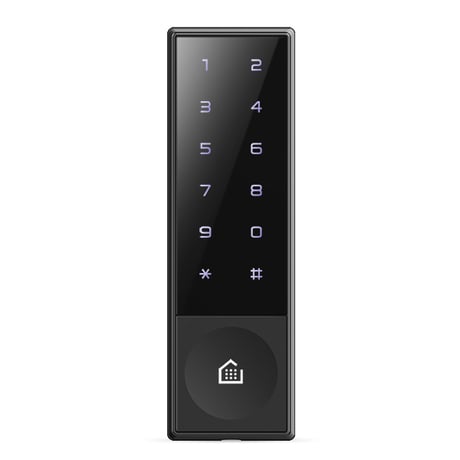
Product Picture


1 - Auto Relock
1=Auto, 2=ManualSize: 1 byte
Default: 1
Minimum: 0
Maximum: 0
Possible values
| From | To | Desription |
|---|---|---|
| 1 | 2 | 1=Auto, 2=Manual |
2 - Relock Time
Relock Time 1~60 sec.Size: 1 byte
Default: 7
Minimum: 0
Maximum: 0
Possible values
| From | To | Desription |
|---|---|---|
| 1 | 60 | 1~60 sec. |
3 - Sound
1=Mute, 2=Normal, 3=MaxSize: 1 byte
Default: 2
Minimum: 0
Maximum: 0
Possible values
| From | To | Desription |
|---|---|---|
| 1 | 3 | 1=Mute, 2=Normal, 3=Max |
4 - Sencer Type
1=NO, 2=NCSize: 1 byte
Default: 1
Minimum: 0
Maximum: 0
Possible values
| From | To | Desription |
|---|---|---|
| 1 | 2 | 1=NO, 2=NC |
5 - Alarm
1=Enable, 2=DisableSize: 1 byte
Default: 2
Minimum: 0
Maximum: 0
Possible values
| From | To | Desription |
|---|---|---|
| 1 | 2 | 1=Enable, 2=Disable |
1. Set the controller in inclusion mode. 2. Press the [*] button. 3. Press the Master Pin [1234] button after pressing the [#] button. 4. press the [88] button after pressing the [*] button.
1. Set the controller in exclusion mode. 2. Press the [*] button. 3. Press the Master Pin [1234] button after pressing the [#] button. 4. press the [99] button after pressing the [*] button.
* Use this procedure only in the event that the network primary controller is missing or otherwise inoperable. 1. Press the [*] button. 2. Press the Master Pin [1234] button after pressing the [#] button. 3. press the [00] button after pressing the [*] button.
| Type | Value(s) |
|---|
| Group | Type |
|---|---|
| Access Control | (Refer to parameters): State idle |
| Home Security | (Refer to parameters): State idle |
| Emergency Alarm | (Refer to parameters): State idle |