WINKA SYSIT
Gateway
WK-0001
Gateway
HW: 18 FW: 4.33:01.00
ZM5304
6.61.00
0x0331 (817)
0x0001 (1)
0x1001 (4097)
ZC10-18026022
2018-02-16 19:34:44.81618
N/A
Static Controller
Central Static Controller
Gateway Series Controller
This is our fastest and most affordable series controller! The unit is designed to control light switches, thermostats, door locks, audio / video equipment, cameras, garage doors, water valves, energy monitors and much more. Home owners can access at home or via the cloud with just about any smartphone, tablet or table-top touchscreen. Your intelligence stays at home, ensuring better security and reliability.
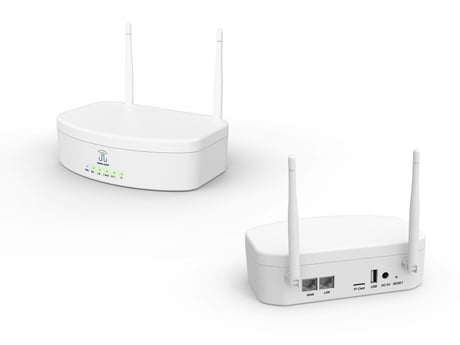
Product Picture
The user clicks ""Z-WAVE Controller Learning Mode"" on the APP , the ""Learning Model"" prompt box will be popped , then click ""OK"" to show ""Being processed...""The ""Learn mode start"" is displayed in APP indicating that the learning mode is successfully opened
When the user clicks the icon in the APP homepage interface at top right corner, The user clicks ""Setting"" again and enters the setting interface,The user clicks the ""Z-WAVE Controller Reset"" menu in the interface as shown above and the ""Warning Dialog"" prompt interface pops up , after clicking ""OK"" to confirm the reset. (to use the reset procedure only when the primary controller is missing or inoperable.)
The user clicks the ""Include Device"" menu, and it will pop up a 60s countdown including device prompt box. At the same time, the button on the device being included is pressed down to three (in 1.5s, press three buttons) or other way to let device to start learning mode. It displays ""Inclusion Success"", indicating that the device will be displayed in the interface when the device is included
The user first clicks on the ""Exclude Device"" menu, and it will pop up a 60s countdown exclude device prompt box , at the same time, the buttons on the included device are quickly pressed three (with three buttons in 1.5s) or other way to let device to start learning mode, then it will showing ""Exclusion Success"" when device is exclusion from network success
| Type | Value(s) |
|---|
| Meter type |
|---|
| Electric Meter Consumption |