Sharp Corporation
Multi Sensor
DN3G6JA069
Notification Sensor
HW: 255 FW: 0.80
SD3502
6.71.03
0x010B (267)
0x4761 (18273)
0x0069 (105)
ZC10-18066133
2018-03-12 16:22:45.481032
N/A
Enhanced 232 Slave
Reporting Sleeping Slave
Yes
The Multi Sensor can collect sensing data that temperature, humidity, Luminance, human motion, and door open/close by using a magnet.
The Multi Sensor is a product for IoT with several sensors and with functions of Z-Wave communication. It can collect sensing data that temperature, humidity, Luminance, human motion, and door open/close by using a magnet. And it sends the data to the gateway. The Multi Sensor has the following general features: - Z-Wave communication - Sensing with the following Temperature sensor, Humidity sensor, Luminance sensor, Human detect sensor (motion sensor by pyroelectric infrared sensor), Open/Close sensor (detecting the opening and shutting of the door by using a magnet), Tamper switch.
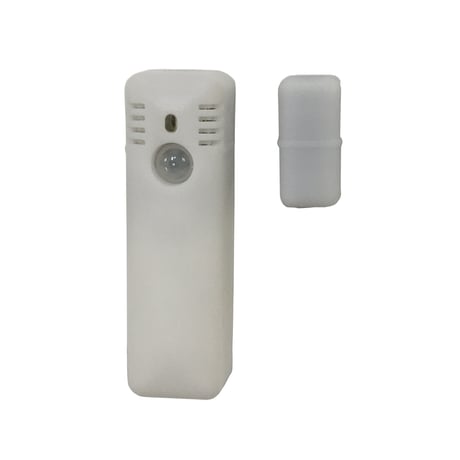
Product Picture


1 - Enable switch of Multilevel Sensor report
Configure arbitrarily to send which sensor values. The sensor values can be selected from Humidity, Luminance, and Temperature.Size: 1 byte
Default: 7
Minimum: 0
Maximum: 0
Possible values
| From | To | Desription |
|---|---|---|
| 0 | 0 | Humidity disable, Luminance disable, Temperature disable |
| 1 | 1 | Humidity disable, Luminance disable, Temperature enable |
| 2 | 2 | Humidity disable, Luminance enable, Temperature disable |
| 3 | 3 | Humidity disable, Luminance enable, Temperature enable |
| 4 | 4 | Humidity enable, Luminance disable, Temperature disable |
| 5 | 5 | Humidity enable, Luminance disable, Temperature enable |
| 6 | 6 | Humidity enable, Luminance enable, Temperature disable |
| 7 | 7 | Humidity enable, Luminance enable, Temperature enable |
2 - Enable switch of Alarm Notification report
Configure to send which the sensor values arbitralily. The sensor values can be selected from Human Detect and Open/Close.Size: 1 byte
Default: 3
Minimum: 0
Maximum: 0
Possible values
| From | To | Desription |
|---|---|---|
| 0 | 0 | Human Detect disable, Open/Close disable |
| 1 | 1 | Human Detect disable, Open/Close enable |
| 2 | 2 | Human Detect enable, Open/Close disable |
| 3 | 3 | Human Detect enable, Open/Close enable |
3 - Select switch of Luminance Sensor scale
Configure the Luminance Sensor scale to either percentage value or Lux.Size: 1 byte
Default: 1
Minimum: 0
Maximum: 0
Possible values
| From | To | Desription |
|---|---|---|
| 0 | 0 | Percentage value |
| 1 | 1 | Lux |
4 - Set interval for Multilevel Sensor
Configure the sending interval time of the sensor value which is selected by configuration parameter number 1. "0" means especially synchronizing with Wake Up Interval.Size: 2 bytes
Default: 0
Minimum: 0
Maximum: 0
Possible values
| From | To | Desription |
|---|---|---|
| 0 | 0 | synchronizing with Wake Up Interval |
| 1 | 65535 | The setting unit is seconds. |
Insert a CR123A, and LED blinks. Set the controller to the status for “Add”. Press the button over 3 seconds and release. About 30 second later, LED turns off when “Add” is completed.
Set the controller to the status for “Remove”. Press the button over 3 seconds and release. LED blinks when “Remove” is completed.
Briefly press the button once.
Press the button over 10 seconds and release.
| Type | Value(s) |
|---|
| Group | Type |
|---|---|
| Home Security | (Refer to parameters): State idle |
| Sensor type |
|---|
| Air Temperature |
| General Purpose |
| Illuminance |
| Humidity |