Aibase
A19 LED BULB RGBW
HA-ZW-5AQG
Light Dimmer Switch
HW: 0 FW: 2.00
ZM5101
6.51.09
0x0384 (900)
0x0003 (3)
0x0003 (3)
ZC10-18056115
2018-05-25 18:50:50.394638
N/A
Enhanced 232 Slave
Always On Slave
✓ Standard form factor and appearance of the light bulb with 800 lm output ✓ RGBW: dimmable from 5% to 100%, tunable from 1800K to 6500K, and 16 million colors ✓ Possible to be included in groups, scenes, or schedules ✓ Suitable for indoor lighting: Corridors, Bedroom, Living Room, etc.
AIBASE RGBW Bulb is a switch multilevel device based on Z-Wave enhanced 232 slave libraryof V6.51.09. RGBW Bulb has 5 main color channels available for you to adjust: Warm white , Cold white,Red,Green and Blue. RGBW Bulb can be included and operated in any Z‐Wave network with other Z‐Wave certifieddevices from other manufacturers and/or other applications. All non‐battery operated nodes within the network will act as repeaters regardless of vendor to increase reliability of the network. The RGBW Bulb is a security Z-Wave device(S0), so a security enabled controller is needed for take full advantage of all functionally for the LED Bulb. It also supports the Over The Air (OTA) feature for the product’s firmware upgrade.
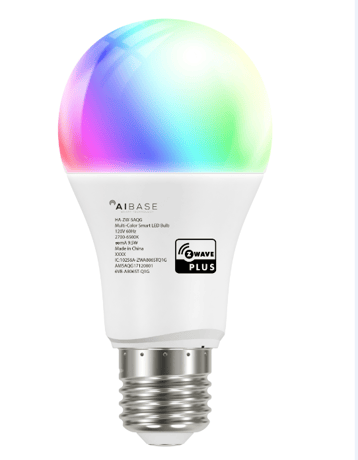
Product Picture


1 - It is used to get the internal temperture of the bulb.
It is used to get the internal temperture of the bulb.Size: 1 byte
Default: 0
Minimum: 0
Maximum: 0
Possible values
| From | To | Desription |
|---|---|---|
| -128 | 127 | It is used to get the internal temperture of the bulb. |
255 - Resetting
This parameter is used to Reset to factory configuration and remove the node from the Z-Wave network, or to Reset Configuration parameter to their default value.Size: 4 bytes
Default: 0
Minimum: 0
Maximum: 0
Possible values
| From | To | Desription |
|---|---|---|
| -2004318072 | -2004318072 | Reset to factory configuration and removed the node from the Z-Wave network. |
| -2013265920 | -2013265920 | Reset Configuration parameter to default value. |
Add for inclusion: a) Set the Z-Wave network main controller into adding mode. b) Power cycle once for the led bulb(OFF->ON).The led bulb will flash once when it has been include into the network.
Remove for exclusion: a) Set the Z-Wave network main controller into removing mode. b) Power cycle once for the led bulb(OFF->ON).Then the led bulb will flash once then dim to 5%,when it has been excluded outside the network.
Reset the device : Led bulb re-power 6 times (between 0.5-2 seconds each time); If the 6th power on, the led bulb flashes twice (first time: red to green to blue gradient transition, second time: 2700K), which means that the resetting is successful. NOTE: Using this action in case of the primary controller is missing or inoperable.
| Type | Value(s) |
|---|