Everspring
Z-Wave Floodlight with Motion Detector
EH403-3
Notification Sensor
HW: 1 FW: 1.01:00.07
SD3502
6.71.01
0x0060 (96)
0x0012 (18)
0x0001 (1)
ZC10-18056122
2018-05-29 15:53:05.916876
N/A
Enhanced 232 Slave
Always On Slave
Z-Wave Floodlight with Motion Detector
The EH403 is an outdoor security floodlight equipped with Z-Wave wireless communication capability. It features a PIR detector to detect motion through movement of heat sources and a lux sensor for determining brightness of its surroundings. When not connected to a Z-Wave network, EH403 is fully operational as a standalone security floodlight. During hours of darkness its PIR detector turns on the 20W floodlight when it detects movement in the protected area. Its built-in timer will then turn off the floodlight after a preset time has elapsed. During daylight hours, its lux sensor saves energy by deactivating the motion sensor and the floodlight. The lux level and the timer can be set through knobs on the device itself. When added into a Z-Wave network, EH403 communicates directly with other end devices such as smart plugs, or to report directly to a Z-Wave controller (usually a gateway). It alerts the controller when motion is detected and through Z-Wave commands, the controller can remotely turn on/off the floodlight at any time and be able to configure its lux level and timer setting. This product supports the S2 security protocol that uses encrypted Z-Wave Plus messages to communicate to other security-enabled Z-Wave Plus products. A security-enabled Z-Wave Plus Controller must be used in order to fully utilize the security features of this product.
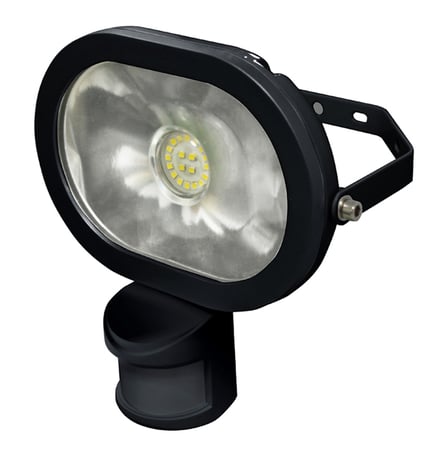
Product Picture


1 - PIR Trigger Off period
Period to send Trigger Off command after PIR is triggered. Before this period expires, the PIR will not be able to detect any subsequent motion.Size: 2 bytes
Default: 15
Minimum: 0
Maximum: 0
Possible values
| From | To | Desription |
|---|---|---|
| 8 | 720 | PIR Trigger Off period can be set 8~720 secs. |
2 - Lux sensor threshold
Lux level to activate the PIR. When the lux level falls below this threshold and the PIR gets triggered, the unit emits a Basic Set Command (Valus=0Xff) and turns on its floodlight. This overwrites the Lux level set by the Lux knob.Size: 2 bytes
Default: 50
Minimum: 0
Maximum: 0
Possible values
| From | To | Desription |
|---|---|---|
| 30 | 200 | Lux sensor threshold can be set 30~200 |
3 - Lux auto report
Period to report Lux value.Size: 2 bytes
Default: 0
Minimum: 0
Maximum: 0
Possible values
| From | To | Desription |
|---|---|---|
| 0 | 1440 | Lux auto report can be set 0~1440 minutes. |
Auto Inclusion The unit supports Auto Inclusion feature where it will automatically enter Inclusion mode when first powered up after a factory reset. 1. Prepare the Z-Wave controller. 2. Plug the cable plug to the wall socket to power up the unit. 3. The Link LED will start to blink slowly with 2-second on, 2-second off (for 2 minutes) which shows the unit does not be paired. 4. Within 30 seconds, put the Z-Wave Controller into inclusion mode. 5. The Inclusion process should be completed when the Link LED stops blinking. Note: If you are connecting this unit to a Z-Wave Controller that utilizes the S2 security protocol, you may be asked by your controller to enter a 5-digit Device Specific Key (DSK) that is unique to each unit. This can be found in one of two places: - on the QR code label on the back of the unit - on the insert card inside the packaging. 6. Turn on the floodlight using the controller to check if the auto inclusion is working properly. Manual Inclusion 1. Prepare the Z-Wave controller. 2. Press the tamper switch 3 times within 1.5 seconds to put the unit into inclusion mode.
1. Put the Z-Wave Controller into exclusion mode. 2. Press the tamper switch 3 times within 1.5 seconds to put the unit into exclusion mode.
1. Press the tamper switch 3 times within 1.5 seconds to put the unit into exclusion mode 2. Within 1 second of step 1, press the tamper switch again and hold until LED is off (about 5 seconds). 3. Node ID is excluded. The device reverts to factory default state and will be in auto-inclusion mode for 4 minutes. 4. Please use this procedure only when the network primary controller is missing or otherwise inoperable
| Type | Value(s) |
|---|
| Group | Type |
|---|---|
| Home Security | (Refer to parameters): State idle |
| Sensor type |
|---|
| Illuminance |