Ecolink Intelligent Technology
EU Z-WAVE DOOR WINDOW SENSOR
H114101
Notification Sensor
HW: 2 FW: 10.01
ZM5202
6.51.06
0x014A (330)
0x0004 (4)
0x0002 (2)
ZC10-18056109
2018-05-10 22:22:01.930589
N/A
Enhanced Slave
Reporting Sleeping Slave
Yes
Ecolink Z-Wave Door/Window Sensor -Z-Wave Plus certified -Frequency 868.4MHz (CEPT regions) -Range up to 100 feet -Battery life up to 3 years with 50 openings/closing per day -CR123A Lithium battery -Input on the sensor for non-powered external contact -BOTH brown and white cases included in each box
Includes Brown & White covers Sleek design virtually disappears Easy-to-open case requires no special tools Case tamper protection Ideal for double-hung window Up to 3 year battery life on 1 CR123A lithium battery Uses rare earth magnet for up to 5/8th inch gap detection Includes white and brown cases
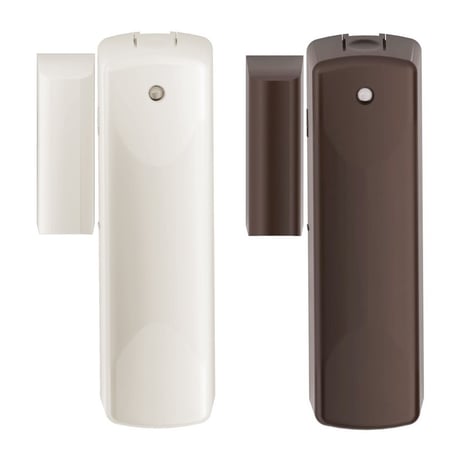
Product Picture


1 - Sending Basic Sets to Association group 2
Parameter 1 configures the sensor to send or not send Basic Set commands of 0x00 to nodes in Association group 2 turning the devices off when the sensor is in a restored state i.e. the door is closed. By default the sensor does NOT send Basic Set commands of 0x00.Size: 1 byte
Default: 0
Minimum: 0
Maximum: 0
Possible values
| From | To | Desription |
|---|---|---|
| -1 | 0 | 0x00 off, 0xFF on |
2 - Sending sensor binary report
Parameter 2 configures the sensor to either to send or not to send Sensor Binary Report commands to Association Group 1 when the sensor is faulted and restored. If the controller is fully compatible with the Notification Command Class thereby making the Sensor Binary Reports redundant, the controller can disable the Sensor Binary Report Commands completely.Size: 1 byte
Default: 0
Minimum: 0
Maximum: 0
Possible values
| From | To | Desription |
|---|---|---|
| -1 | 0 | 0x00 off, 0xFF on |
The sensor must be added to a Z-Wave network prior to use. To include the sensor in a network both the sensor and the network controller must be in inclusion mode at the same time. Refer to the instructions provided by the manufacturer of your specific controller for details on initiating the controller’s inclusion mode. STEP ONE Start by placing the controller into inclusion mode. STEP TWO Activate inclusion mode for the sensor by removing the plastic pull-tab from the back of the sensor. When the inclusion process is complete, the LED on the sensor will be solid blue, then go out. STEP THREE Test the sensor. Place the magnet next to the sensor to represent a closed position (see Installation section to see where to position the magnet). If the LED flashes ONE TIME, it is successfully communicating on your Zwave network. If the LED on the sensor flashes slow and steady for 5 seconds, you need to repeat the inclusion process.
Exclusion mode on the senor is initiated following the same exact procedure as inclusion.
The sensor will wake up every so often and when the case is closed to send a Wake-Up Notification to allow the life line master node controller that the sensor is now available for any queued messages that the controller may have for the sensor. The time between Wake-Up Notifications can be configured with the Wake-Up Notification command class to be between 1 hour and 1 week with interval steps of 200 seconds.
To restore this sensor to factory default settings, follow the instructions in this manual to exclude this sensor from the Z-Wave network. Upon completion of removal from the network the sensor will restore itself to factory default settings automatically. Use this procedure only in the event that the network primary controller is missing or otherwise inoperable.
Includes external contacts for wiring.
| Type | Value(s) |
|---|
| Group | Type |
|---|---|
| Home Security | (Refer to parameters): State idle |
| Sensor type |
|---|
| General Purpose |