Ecolink Intelligent Technology
EU Z-WAVE PIR MOTION SENSOR
H214101
Notification Sensor
HW: 2 FW: 10.01
ZM5202
6.51.06
0x014A (330)
0x0004 (4)
0x0001 (1)
ZC10-18056110
2018-05-11 19:58:32.733665
N/A
Enhanced Slave
Reporting Sleeping Slave
Yes
This Ecolink Pet immunity motion detector is a z-wave plus enabld device designed to smoothly integrate into a Z-Wave Plus home automation network. It will detect motion and will alert your system of any intrusion immediately.
• For indoor use only • Operating frequency: 908.42 MHz • Operating range: Up to 100 feet (30.5 meters) line-of-sight • Operating temperature: 0˚C to 49˚C, 32˚F to 120˚F (ambient temperature) • Detection radius: 39 feet (see detection region diagram) • Detection angle: 45 degrees in either direction from the sensor’s center • Battery type: 3V Lithium CR123A • Battery life: approximately 3 years • Passive Infrared (PIR) based technology
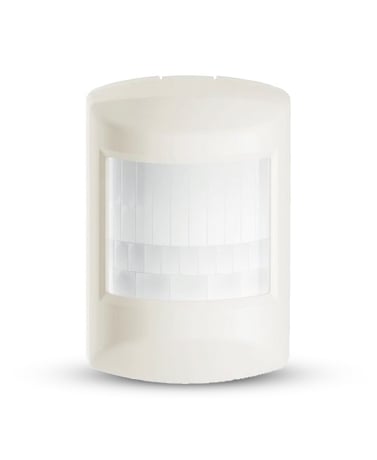
Product Picture


1 - No More Motion Detected Basic Set
(Default) Sensor does NOT send Basic Sets to Node IDs in Association Group 2 when the sensor is restored (i.e. Motion Not Detected ). Sensor sends Basic Sets of 0x00 to nodes in Association Group2 when sensor is restored.Size: 1 byte
Default: 0
Minimum: 0
Maximum: 0
Possible values
| From | To | Desription |
|---|---|---|
| 0 | -1 | Off (00,) On (-01) |
2 - Motion Detected Sensory Binary Report
(Default) Sensor sends Sensor Binary Reports when sensor is faulted and restored for backwards compatibility in addition to Notification Reports. Sensor will send only Notification Reports and NOT Sensor Binary Reports when the sensor is faulted and restored.Size: 1 byte
Default: 0
Minimum: 0
Maximum: 0
Possible values
| From | To | Desription |
|---|---|---|
| 0 | -1 | Off (00,) On (-01) |
The sensor must be added to a Z-Wave network prior to use. To include the sensor in a network, both the sensor and the network controller must be in inclusion mode at the same time. Activate inclusion mode for the sensor by removing the battery isolation pull tab, or by inserting the battery (see next section for battery installation tips). When the inclusion process is complete the red LED will turn on for approximately 10 seconds and then it will go out. If the LED continues to flash repeat the inclusion process. Refer to the instructions provided by the manufacturer of your specific controller for details on initiating the controller’s inclusion mode. STEP ONE Start by placing the controller into inclusion mode. STEP TWO Activate inclusion mode for the sensor by removing the battery isolation pull tab, or by inserting the battery (see next section for battery installation tips). When the inclusion process is complete the red LED will turn on for approximately 10 seconds and then it will go out. If the LED continues to flash repeat the inclusion process. STEP THREE Test the motion sensor before mounting it. Place the sensor in an unoccupied room. Leave the room for at least 4 minutes. Return to the room and pass in front of the sensor lens. The LED will flash once to indicate that motion was detected.
Exclusion mode on the sensor is initiated following the same exact procedure as inclusion.
To save power, this sensor sleeps most of the time and is therefore not awake to receive messages from a gateway for testing. Removing the top case from the sensor will put in device into a tampered mode in which the sensor will stay awake and able to receive messages. Most of the time an end user would not do this, but if the sensor needs to be configured after inclusion, an end user can follow the instructions below for sending Wake-Up notifications.
To restore this sensor to factory default settings, follow the instructions in this manual to exclude this sensor from the Z-Wave network. Upon completion of removal from the network the sensor will restore itself to factory default settings automatically. Use this procedure only in the event that the network primary controller is missing or otherwise inoperable.
| Type | Value(s) |
|---|
| Group | Type |
|---|---|
| Home Security | (Refer to parameters): State idle |
| Sensor type |
|---|
| General Purpose |