HomeSeer
HomeSeer HS-FLS100+ Z-Wave Plus Floodlight Sensor
HS-FLS100+
Notification Sensor
HW: 1 FW: 1.02:00.00
SD3502
6.71.03
0x000C (12)
0x0201 (513)
0x000B (11)
ZC10-18076186
2018-07-09 23:04:54.174798
N/A
Enhanced Slave
Always On Slave
HS-FLS100+ is a Z-Wave enabled outdoor motion sensor that's designed to control floodlights when motion is sensed.
HS-FLS100+ is a Z-Wave enabled outdoor motion sensor that may be used for a variety of applications. • Use as a stand alone outdoor motion sensor and/or LUX sensor. • Use as a replacement sensor for a motion-activated floodlight unit. In this configuration, it can control floodlight loads when motion is sensed or when commands are received from the central controller.
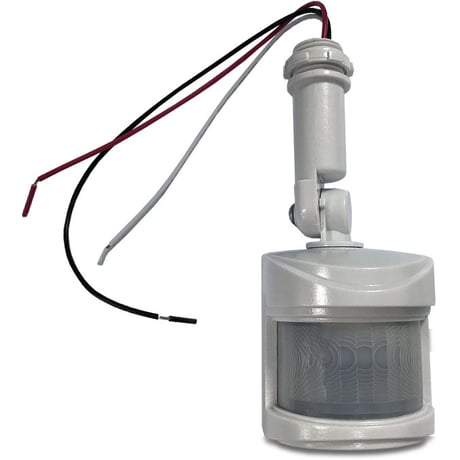
Product Picture


1 - TIME settings
PIR Trigger Off period: Period to send Trigger Off command after PIR is triggered. Before this period expires, the PIR will not be able to detect any subsequent motion. Parameter Size Range Default 1 2 8~720 secs 15Size: 2 bytes
Default: 15
Minimum: 0
Maximum: 0
Possible values
| From | To | Desription |
|---|---|---|
| 8 | 720 | unit is second |
2 - LUX settings
Lux sensor threshold: Lux level to activate the PIR. When the lux level falls below this threshold and the PIR gets triggered, the unit emits a Basic Set Command (Value=0xFF) and turns on its floodlight. This overwrites the Lux level set by the Lux knob. If the level is set to 0, the unit will not turn on its floodlight. The PIR will still send a notification report to the controller; if the level is set to 255, when motion is sensed, the sensor ignore the ambient brightness but just turn on the light.Size: 2 bytes
Default: 50
Minimum: 0
Maximum: 0
Possible values
| From | To | Desription |
|---|---|---|
| 30 | 200 | unit is ambient lux level |
3 - Lux level report
Auto Report luminance interval: sets the interval of periodic lux level report to the controller.Size: 2 bytes
Default: 10
Minimum: 0
Maximum: 0
Possible values
| From | To | Desription |
|---|---|---|
| 0 | 1440 | unit is minutes |
Z-Wave auto inclusion. Or manual inclusion : put the Z-Wave controller into inclusion mode, press the Link button 3 times within 1.5 seconds to put the unit into inclusion mode.
Put the Z-Wave Controller into exclusion mode. Press the Link button 3 times within 1.5 seconds to put the unit into exclusion mode.
The product reset is to operate only when the primary controller is missing or inoperable. Press the Link button 3 times within 1.5 seconds to put the unit into exclusion mode.Within 1 second of step 1, press the Link button again and hold until LED is off (about 5 seconds).
| Type | Value(s) |
|---|
| Group | Type |
|---|---|
| Home Security | (Refer to parameters): State idle |
| Light sensor |
|
| Sensor type |
|---|
| General Purpose |
| Illuminance |