Philio Technology
Control Center Gateway
PSC03
Gateway
HW: 1 FW: 6.01:02.81:08.12
SD3503
6.81.01
0x013c (316)
0x0003 (3)
0x0054 (84)
ZC10-18106288
2018-06-18 20:07:05.152913
N/A
Bridge Controller
Central Static Controller
PSC03 Gateway is a control center (gateway) , based on Z-Wave technology.
PSC03 Gateway is a control center (gateway) , based on Z-Wave technology. It is used to control different single devices and actions combining device functions within the network.
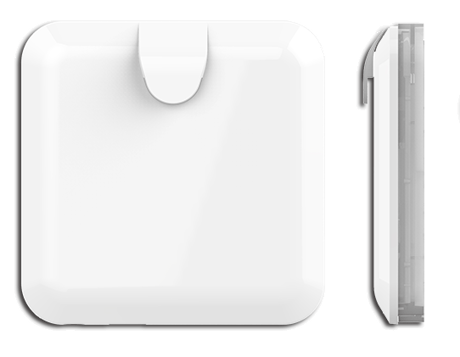
Product Picture
The gateway can join another Z-Wave network and will be a slave device. If the gateway is included in other network, it can receive (replication) the latest network information from SUC again. But the gateway can’t use this function if the gateway is the SIS and others nodes are included in the network Please click ""Learn"". It will show learn message (the count down time and the gateway’s DSK). (Please check your user document, the detail in 3.1.4)
Reset the Z-Wave controller. It will reset the Z-Wave controller and will be assign a new Z-Wave home id. Please click ""Reset Gateway"", it will show ""Reset"" message If this controller is the primary controller for your network, resetting it will result in the nodes in your network being orphaned and it will be necessary after the reset to exclude and re-include all of the nodes in the network. If this controller is being used as a secondary controller in the network, use this procedure to reset this controller only in the event that the network primary controller is missing or otherwise inoperable. (Please check your user document, the detail in 3.1.3)
Communication between two Z-Wave devices only works if both belong to the same wireless network. Joining a network is called inclusion and is initiated by a controller. The controller needs to be turned into the inclusion mode. Please click ""Include"", it will show ""Include"" message. (Please check your user document, the detail in 3.1)
The primary controller can exclude devices from the Z-Wave network. During exclude the relationship between the device and the controller. No communication could happen after successful exclusion, between the device and other devices in the original network. Please click ""Exclude"". It will show count down time, and gateway will be in exclusion mode, include/exclude led will start flash in fast mode. Please send ""Node Info"" from device before count down time end. If success, it will show device which was added in gateway on screen, but if device wasn't added into gateway before, it will show nothing on screen. (Please check your user document, the detail in 3.1)
| Type | Value(s) |
|---|