Jasco Products Company
Plug-in Smart Switch, Dual Plug
28172/ZW4104
On/Off Power Switch
HW: 255 FW: 5.22
ZM5202
6.51.10
0x0063 (99)
0x5052 (20562)
0x3039 (12345)
ZC10-18066169
2018-06-26 10:27:41.18671
N/A
Enhanced 232 Slave
Always On Slave
Transform any home into a smart home with the Jasco Z-Wave Smart Lighting Control and Appliance Module.
Transform any home into a smart home with the Jasco Z-Wave Smart Lighting Control and Appliance Module. The lighting control enables wireless control of on/off functions for standard table and floor lamps, and is compatible with incandescent, LED, Xenon, Halogen, fluorescent and compact fluorescent bulbs. Easily controlled by your mobile device or computer using any Z-Wave certified gateway, the space-saving horizontal module plugs into a standard wall receptacle without blocking the second outlet or obstructing placement of furniture. It provides a Z-Wave enabled outlet for the lamp or appliance that you would like to control and a regular pass-through AC outlet for other electrical appliances. Perfect for plug-in fans, heaters, lamps and more! Take control of your home lighting with Jasco Z-Wave Smart Lighting Controls!
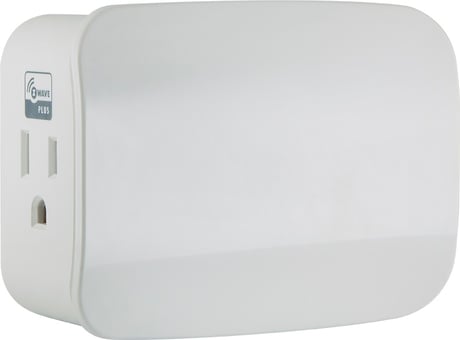
Product Picture


3 - LED Light
Adjust LED light to ON when Device is OFF or Disable the LED.Size: 1 byte
Default: 1
Minimum: 0
Maximum: 0
Possible values
| From | To | Desription |
|---|---|---|
| 0 | 0 | LED On When Device Is OFF |
| 1 | 1 | Default LED On WHen Device Is On |
| 2 | 2 | Disable LED |
1. Follow the instructions for your Z-Wave certified controller to add the device to the Z-Wave network. 2. Once the controller is ready to add your smart switch, single press and release the manual/program button on the smart switch to add it in the network.
Follow the instructions for your Z-Wave certified controller to remove a device from the Z-Wave network. 2. Once the controller is ready to remove your device, press and release the manual/program button on the smart switch to remove it from the network.
1. If plugged in, unplug the switch from the receptacle. 2. Press and hold the top button for at least 3 seconds while you plug the switch into a receptacle. Note: This should only be used in the event your networks’ primary controller is missing or otherwise inoperable.
| Type | Value(s) |
|---|