Dome
Range Extender
DMEX1
Repeater
HW: 1 FW: 1.01
ZM5101
6.71.01
0x021F (543)
0x0003 (3)
0x0108 (264)
ZC10-18076183
2018-07-09 23:05:50.470417
N/A
Enhanced 232 Slave
Always On Slave
The Dome Range Extender is designed to improve communication between Z-Wave devices by amplifying Z-Wave signals.
The Dome Range Extender is designed to improve communication between Z-Wave devices. It amplifies Z-Wave signals and increases the reach of your controller, ensuring your devices stay connected. The Extender has an LED light that works as a nightlight and can also act as an indicator in regular mode. The included suction cup lets you mount the Extender onto any smooth surface while using a micro USB power supply. All these features make the Dome Range extender the perfect choice for your home.
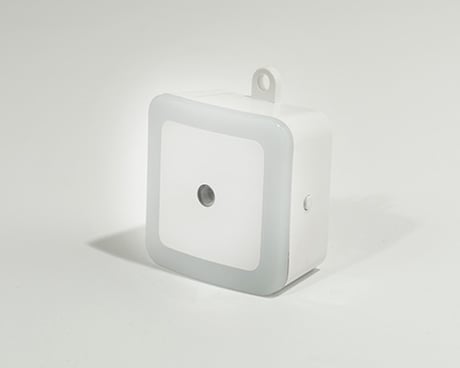
Product Picture


1 - Night Light "Off" Threshold
This parameter sets the luminance (brightness) level at which night light is turned off. This is a unitless value that can be set to any value from 0 - 10, with a default value of 5. The higher this value, the brighter the ambient light must be to turn off the night light.Size: 1 byte
Default: 5
Minimum: 0
Maximum: 0
Possible values
| From | To | Desription |
|---|---|---|
| 0 | 10 | Night light OFF Threshold |
2 - Night Light "On" Threshold
This parameter sets the luminance (brightness) level at which night light is turned on. This is a unitless value that can be set to any value from 0 - 10, with a default value of 5. The higher this value, the brighter the ambient light must be to turn on the night light.Size: 1 byte
Default: 5
Minimum: 0
Maximum: 0
Possible values
| From | To | Desription |
|---|---|---|
| 1 | 10 | Night light ON Threshold |
Turn the primary controller of Z-Wave network into inclusion mode, press the Z-Wave Button on Range Extender 3 times
Turn the primary controller of the Z-Wave network into exclusion mode, press the Z-Wave Button on Range Extender 3 times.
Press and hold the Z-Wave Button for 10 seconds and then release it. Use this procedure only in the event that your primary network controller is missing or inoperable.
| Type | Value(s) |
|---|