COQON
Window Sensor Fensterkontakt Z-Wave
FKABZ002
Notification Sensor
HW: 0 FW: 1.01
ZM5101
6.71.01
0x0140 (320)
0x0801 (2049)
0x1001 (4097)
ZC10-18086206
2018-08-12 19:52:11.013242
N/A
Enhanced 232 Slave
Reporting Sleeping Slave
Yes
COQON Window Sensor for securty aspects. Battery powered, consists of two parts. To be used with the COQON Qbox Interface or any other Z-Wave controller.
The COQON Window & Door Contact FKABZ002 is a battery powered wireless magnetic contact that gives you optimal control over your doors and windows. With this contact, you keep track of all windows and doors - even when you're on the move. The window contact offers maximum security in your home and ensures safe protection against unauthorized access. He controls windows, doors or gates for you and can also control devices or smart scenes. Increase your comfort: In connection with a light control, for example, when entering the house, the lighting in the hallway can be switched on automatically. Feel safer: In the event of unauthorized access, an alarm is automatically triggered. At the same time you receive on request a push message. Protection class: IP20 Battery life: up to 5 years Control of operation: Red LED Scope of delivery: Transmitter module and magnetic bracket incl. Batteries and mounting set Dimensions: Magnetic angle: 55 x 15 x 12 mm, Transmitter module: 55 x 40 x 12 mm Version: Basic Power voltage: 1x CR3032 lithium batteries Operating temperature range: -15 ° C to 85 ° C (+/- 2.5 ° C) Color: white RAL 9016 Radio protocol: Z-Wave Plus
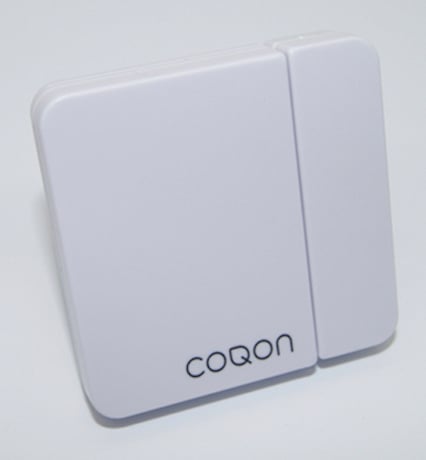
Product Picture
To add the product to the system, please follow the following steps. 1. Start the COQON App 2. Select ""Device"" then ""Settings"" and tap on ""+"" to add your Window Sensor 3. Select COQON 4. Follow the steps in the App
To remove your device from the system, please start the exclusion process to exclude the device from the COQON App. The device will be reset.
Factory reset: 1. Remove battery 2. Hold the Tamper 3. Insert Battery 4. Release Tamper within 5 sec. Note: Please use this procedure only when the primary controller is missing or inoperable!
| Type | Value(s) |
|---|
| Group | Type |
|---|---|
| Access Control | (Refer to parameters): State idle |
| Home Security | (Refer to parameters): State idle |
| Sensor type |
|---|
| General Purpose |