Delaney Hardware
Megapixel Z-Wave IP Camera
ZW100
Central Controller
HW: 0 FW: 4.38:04.00:01.00:09.00
ZM5304
6.51.09
0x040D (1037)
0x0001 (1)
0x0003 (3)
ZC10-18096246
2018-09-25 21:27:14.427449
N/A
Static Controller
Central Static Controller
Video Camera recording capabilities, and Bridging Hub for use with other Z-Wave devices.
Smart Home gateway/controller Working with Amazon Echo(Alexa) Compatible with all Z-Wave devices Easy device, room and scene control Two mega-pixel camera, 1920x1080, 30 fps Wide angle lens Day and night with IR led Two-way audio Time lapse video recording SD card and Cloud storage Smart home iOS and Android App
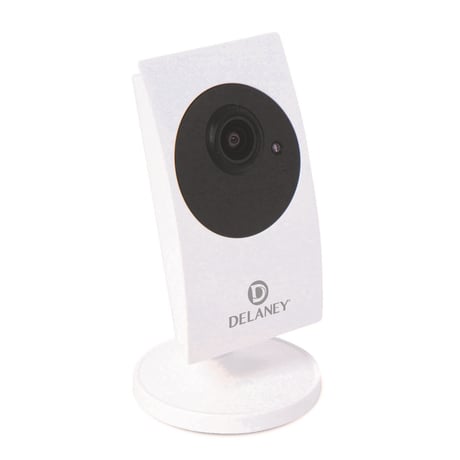
Product Picture
Open the App mCamviewZ+ and go to ""Home Settings"" > ""Camera settings"" > ""Admin"" > ""Z-Wave administration"" page, click ""Z-Wave Learn Mode"" will put the camera into learn mode
Open the App mCamviewZ+ and go to ""Home Settings"" > ""Camera settings"" > ""Admin"" > ""Z-Wave administrator"" page, click ""Z-Wave Reset"" will reset the Z-Wave Settings of the camera. If this controller is the primary controller for your network, resetting it will result in the nodes in your network being orphaned and it will be necessary after the reset to exclude and re-include all of the nodes in the network. If this controller is being used as a secondary controller in the network, use this procedure to reset this controller only in the event that the network primary controller is missing or otherwise inoperable.
Open the App mCamviewZ+ and press the ""+"" button under the ""Device"" menu, the camera will go into inclusion mode. User can now trigger the Z-Wave device into its inclusion mode and add it to the camera's Z-Wave network.
Open the App mCamviewZ+ and press the ""-"" button under the ""Device"" menu, the camera will go into exclusion mode. User can now trigger the Z-Wave device into its exclusion mode and remove it from the camera's Z-Wave network.
| Type | Value(s) |
|---|