Axis Communications
Door/Window Sensor
T8342-EUR
Notification Sensor
HW: 1 FW: 1.01:00.01
SD3502
6.71.01
0x0364 (868)
0x0003 (3)
0x0001 (1)
ZC10-18106253
2018-10-03 16:49:58.901472
N/A
Enhanced 232 Slave
Reporting Sleeping Slave
Yes
AXIS T8342-EUR Door/Window Sensor is an easy to install, wireless sensor which enables triggering of a series of events such as notification messages, illumination and much more.
AXIS T8342-EUR Door/Window Sensor is an easy to install, wireless sensor which enables triggering of a series of events such as notification messages, illumination and much more. With its support for wireless input/output connectivity, the door/window sensor can communicate wirelessly with AXIS M5065 PTZ Network camera or other connected Z-Wave Plus® controllers, creating a small security solution with less cabling. Thanks to its integrated wireless I/O connectivity, AXIS T8342-EUR enables flexible installation as the sensor can easily be mounted on a door, window, or cabinet according to your needs.
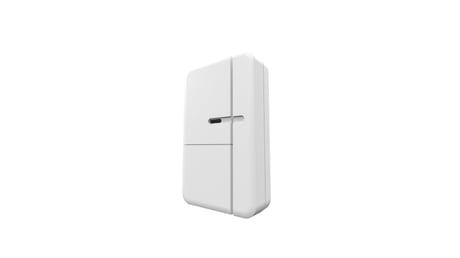
Product Picture
Auto inclusion 1. Put a Z-Wave controller into inclusion mode. 2. Remove the strip of battery protection film sticking out from the battery cover on the front of the casing. The LED on the device should turn ON. 3. Enter PIN number into the Z-Wave controller. The PIN number can be found on the device. See where in the installation guide. 4. The inclusion process should be completed when the LED stops blinking. 5. Perform test before you refit the battery cover. See How to test the Z-Wave Device. Manual inclusion 1. Remove the battery cover. 2. Press the tamper switch 3 times within 1.5 seconds to put the unit into learning (inclusion/exclusion) mode. 3. Enter PIN number into the Z-Wave controller. The PIN number can be found on the device. See where in the installation guide. 4. The inclusion process should be completed when the LED stops blinking 5. Perform test before you refit the battery cover. See How to test the Z-Wave Device.
1. Remove the battery cover. 2. Press the tamper switch 3 times within 1.5 seconds to put the unit into learning (inclusion/exclusion) mode. 3. The exclusion process should be completed when the LED stops blinking 4. Refit the battery cover.
After the detector has been included into a Z-Wave network it will go to sleep, but it will send a wake-up notification command to the controller periodically at a preset period . The detector will stay awake for at least 10 seconds and then go back to sleep to conserve battery life.
1. Press the tamper switch 3 times within 1.5 seconds to put the unit into exclusion mode. 2. Within 1 second of step 1, press the tamper switch again and hold for 5 seconds. 3. Node ID is excluded. The device reverts to factory default state. (This procedure should only be used when the controller is inoperable.)
| Type | Value(s) |
|---|
| Group | Type |
|---|---|
| Access Control | (Refer to parameters): State idle |