Kwikset
Kwikset Signature Series with home connect 2nd Gen
914S
Door Lock - Keypad
HW: 4 FW: 4.45:70.07
ZM5101
6.51.08
0x0090 (144)
0x0003 (3)
0x0446 (1094)
ZC10-18106261
2018-10-10 19:07:54.584165
N/A
Enhanced 232 Slave
Listening Sleeping Slave
Yes
Deadbolt without a keypad with Z-Wave Plus technology
Kwikset®, the leader in residential security, introduces the Deadbolt without a keypad with Z-Wave Plus technology Extend your smart home system to your current deadbolt, enabling your existing deadbolt to wirelessly communicate with your smart home or security system Dramatically reduced, all-metal interior Works with existing select single cylinder deadbolts
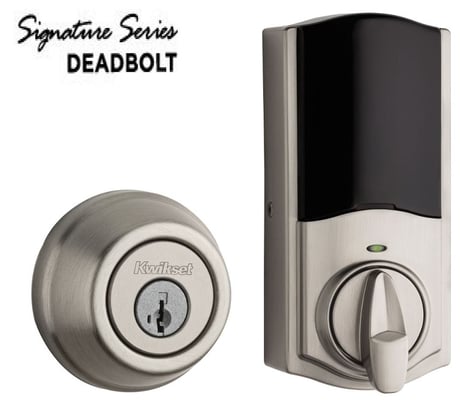
Product Picture


31 - Dipswitch settings
This is a one byte read only bit mask that returns the state of the user accessible dipswitches on the rear panel of the door lock. 0x01: Lock Status LED (1: enabled, 0: disabled) 0x02: Autolock setting (1: enabled, 0: disabled) 0x04: Buzzer (1: enabled, 0: disabled) 0x08: Secure Screen (1: enabled, 0: disabled)Size: 1 byte
Default: 5
Minimum: 0
Maximum: 0
Possible values
| From | To | Desription |
|---|---|---|
| 0 | 0 | All features disabled |
| 1 | 1 | Lock Status LED enabled |
| 2 | 2 | Autolock enabled |
| 3 | 3 | Autolock and Lock status LED enabled |
| 4 | 4 | Internal buzzer enabled |
| 5 | 5 | Internal buzzer and lock status LED enabled |
| 7 | 7 | Autolock, Internal buzzer, and Lock status LED enabled |
| 8 | 8 | Handing invert enabled |
| 15 | 15 | All features enabled |
33 - SKU number, first 4 bytes
This configuration parameter provides the first 4 bytes of the SKU number that has been programmed into the lock. Each byte allows all printable characters from 32 to 126.Size: 4 bytes
Default: 32
Minimum: 0
Maximum: 0
Possible values
| From | To | Desription |
|---|---|---|
| 32 | 126 | All printable characters |
34 - SKU number, last 4 bytes
This configuration parameter provides the second and last 4 bytes of the SKU number that has been programmed into the lock. Each byte allows all printable characters from 32 to 126.Size: 4 bytes
Default: 32
Minimum: 0
Maximum: 0
Possible values
| From | To | Desription |
|---|---|---|
| 32 | 126 | All printable characters |
40 - Reset to Default
This configuration parameter allows the smart home controller to force a factory reset of the lock. After receiving this request, the lock will send a Device Reset Locally message back to the lifeline controller. This configuration parameter is a write only parameter where the only possible value to write is a 1. The lock will not accept any other value.Size: 1 byte
Default: 0
Minimum: 0
Maximum: 0
Possible values
| From | To | Desription |
|---|---|---|
| 0 | 0 | No Action taken |
| 1 | 1 | Force Factory Reset |
Initiate the process to add the lock to your system at your smart home controller. When prompted by your smart home system to add the lock, press button “A” on the lock interior one time. The red LED will illuminate when the lock enters Add Mode. Please allow time for the controller to add the lock to your system.
Follow your smart home system’s instructions to remove the lock from the network. When prompted by the system, press button A” on the lock interior once. The red LED will illuminate when the lock enters Remove mode.
The electronic conversion kit remains asleep until an action occurs on the latch or a request is received from the RF side. For the RF side, it will wake up every 1 second to check if there are any requests from your smart home controller.
A factory reset will delete all user codes associated with the lock and will remove itself from your smart home system. Please only perform a factory reset when the primary controller is missing or inoperable. To perform a factory reset, please perform the following: 1. Remove the battery pack 2. Press and HOLD the Program button while reinserting the battery pack. 3. Keep holding the button for 30 seconds until the lock beeps and the status LED flashes red. 4. Press the Program button once more. The status LED will flash green and red several times. 5. After a few seconds, the lock will initiate the door handing process.
| Type | Value(s) |
|---|
| Group | Type |
|---|---|
| Access Control | (Refer to parameters): State idle |
| Home Security | (Refer to parameters): State idle |
| Power Management | (Refer to parameters): State idle |