Zooz
Paddle On/Off Switch
ZW303
On/Off Power Switch
HW: 1 FW: 1.00
ZM5202
6.71.03
0x0312 (786)
0xA000 (40960)
0xA001 (40961)
ZC10-18106283
2018-10-30 00:02:51.574412
N/A
Enhanced 232 Slave
Always On Slave
It is an In-wall type device controlled by Z-Wave controller and can be configured in Z-Wave sensor network, if Z-Wave certified controller features remote access.
It is an In-wall type device controlled by Z-Wave controller and can be configured in Z-Wave sensor network, if Z-Wave certified controller features remote access, you can control lights at home from your mobile phone separately, and manual On/Off light by push button .
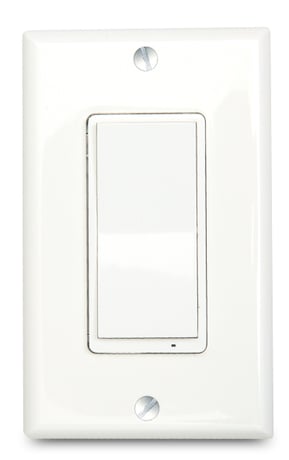
Product Picture


1 - Locally Button function
Locally Button functionSize: 1 byte
Default: 0
Minimum: 0
Maximum: 0
Possible values
| From | To | Desription |
|---|---|---|
| 0 | 0 | Up Button ON,Down Button OFF |
| 1 | 1 | Up Button OFF,Down Button ON |
2 - Status LED Configuration
Status LED ConfigurationSize: 1 byte
Default: 0
Minimum: 0
Maximum: 0
Possible values
| From | To | Desription |
|---|---|---|
| 0 | 0 | Output ON,Led OFF |
| 1 | 1 | OutputOFF,Led ON. |
| 2 | 2 | LED Always OFF |
| 3 | 3 | LED Always ON |
3 - Count Down Configuration
Count Down Configuration(Turn off the output by time)Size: 2 bytes
Default: 0
Minimum: 0
Maximum: 0
Possible values
| From | To | Desription |
|---|---|---|
| 0 | 0 | Turn off the output by time |
4 - Association Setting Parameter
Association Setting ParameterSize: 1 byte
Default: 1
Minimum: 0
Maximum: 0
Possible values
| From | To | Desription |
|---|---|---|
| 0 | 0 | None |
| 1 | 1 | Local |
| 2 | 2 | 3-way |
| 3 | 3 | 3-way&Local |
| 4 | 4 | Z-Wave Hub |
| 5 | 5 | Z-Wave hub&Local |
| 6 | 6 | Z-Wave hub&3-way |
| 7 | 7 | Z-Wave hub&Local&3-way |
| 8 | 8 | Timer |
| 9 | 9 | Timer&Local |
| 10 | 10 | Timer&3-way |
| 11 | 11 | Timer&3-way&Local |
| 12 | 12 | Timer&Z-Wave hub |
| 13 | 13 | Timer&Z-Wave hub&Local |
| 14 | 14 | Timer&Z-Wave hub&3-way |
| 15 | 15 | All |
5 - Restores state after power failure
Restores state after power failureSize: 1 byte
Default: 2
Minimum: 0
Maximum: 0
Possible values
| From | To | Desription |
|---|---|---|
| 0 | 0 | Output OFF |
| 1 | 1 | Output ON |
| 2 | 2 | The state before a power outage.C |
Inclusion the ZW303 from the existing Z-Wave home control network with your primary controller. ---Refer to your primary controller instructions to process the inclusion / exclusion setup procedure. ---When prompted by your primary controller, click the Up or Down button three times in one second.
Exclusion the ZW303 from the existing Z-Wave home control network with your primary controller. ---Refer to your primary controller instructions to process the inclusion / exclusion setup procedure. ---When prompted by your primary controller, click the Up or Down button three times in one second.
Press click Z-Wave button 2 times quickly,and hold for at least 10 seconds. to restore the device to the factory Please use this procedure only when the network primary controller is missing or otherwise inoperable.
| Type | Value(s) |
|---|