Remotec
AC Master Lite
ZXT-510EU
Thermostat - HVAC
HW: 0 FW: 1.04:01.07:182.03
SD3502
6.61.00
0x5254 (21076)
0x0102 (258)
0x8290 (33424)
ZC10-18116315
2018-11-20 08:03:54.292502
N/A
Enhanced 232 Slave
Listening Sleeping Slave
ZXT-510, AC Master Lite, is a Z-Wave plus compliant Z-Wave-to-IR Bridge to control split air conditioner by receiving Z-Wave command and translating to Infrared command.
ZXT-510, AC Master Lite, is a Z-Wave plus compliant Z-Wave-to-IR Bridge to control split air conditioner by receiving Z-Wave command and translating to Infrared command. With its comprehensive built-In and cloud-stored IR database (library). ZXT-510 can control different brands and models of air conditioners worldwide. ZXT-510 is a security enabled Z-Wave plus device. A security Enabled Z-Wave Plus Controller must be used in order to fully utilize the product. ZXT-510 is a Z-Wave slave device, it depends on gateway to setup particular AC brand with correct IR code. Different gateway has different user interface for setup.
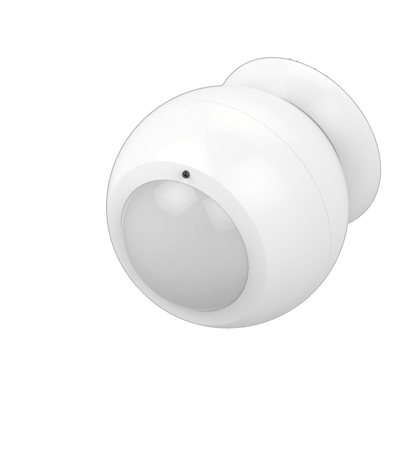
Product Picture


25 - Learn IR Code
Default: 0x0000 range: (0x0000 to 0x20) refer to learning mapping tableSize: 2 bytes
Default: 0
Minimum: 0
Maximum: 0
Possible values
| From | To | Desription |
|---|---|---|
| 0 | 32 | Storage Location |
26 - Check IR Code Learning Status
Default: 0x00 range: 0 to 4 (0x00 to 0x04) 0(0x00) : Idle - IR Channel is idle 1(0x01) : OK - the last learning operation was completed successfully 2(0x02) : Learning - ZXT-510 is busy processing previous learning request 3(0x03) : Full – All locations are being used. 4(0x04) : The last learning request was failed Note:The status value 0x01 and 0x04 will be reset to 0x00 after ZXT-510 receives a get command to this parameter.Size: 1 byte
Default: 0
Minimum: 0
Maximum: 0
Possible values
| From | To | Desription |
|---|---|---|
| 0 | 4 | Read Only |
27 - Set IR Code Number From built-in code library
Refer to Code Finder Webpage.Size: 2 bytes
Default: 0
Minimum: 0
Maximum: 0
Possible values
| From | To | Desription |
|---|---|---|
| 0 | 65535 | IR Code Number |
30 - Set Auto Report condition Trigger by Room Temperature change
0(0x00) = Disable AUTO report function (Default) (for saving battery life) Auto report if room temperature is different from last report. 1(0x01) = 1°F (0.5°C) 2(0x02) = 2°F (1°C) 3(0x03) = 3°F (1.5°C) 4(0x04) = 4°F (2°C) 5(0x05) = 5°F (2.5°C) 6(0x06) = 6°F (3°C) 7(0x07) = 7°F (3.5°C) 8(0x08) = 8°F (4°C)Size: 1 byte
Default: 0
Minimum: 0
Maximum: 0
Possible values
| From | To | Desription |
|---|---|---|
| 0 | 8 | Temp change |
32 - Set built-in IR Emitter Control
Default: 0xFF 0 or 255 (0x00 or 0xFF) 0(0x00): Disable 255(0xFF): Enable (Default)Size: 1 byte
Default: 255
Minimum: 0
Maximum: 0
Possible values
| From | To | Desription |
|---|---|---|
| 0 | 0 | Disable |
| 255 | 255 | Enable |
33 - Control Air Conditioner “SWING” function
Default: 0x01 Range 0 to 1 (0x00 or 0x01) 0(0x00) Swing OFF 1(0x01) Swing Auto (Default)Size: 1 byte
Default: 1
Minimum: 0
Maximum: 0
Possible values
| From | To | Desription |
|---|---|---|
| 0 | 0 | Swing OFF |
| 1 | 1 | Swing Auto |
34 - Set Auto Report Condition by Time Interval
Auto report by the following time interval. 1(0x01) = 1 Hr 2(0x02) = 2 Hrs 3(0x03) = 3 Hrs 4(0x04) = 4 Hrs 5(0x05) = 5 Hrs 6(0x06) = 6 Hrs 7(0x07) = 7 Hrs 8(0x08) = 8 Hrs (Default)Size: 1 byte
Default: 8
Minimum: 0
Maximum: 0
Possible values
| From | To | Desription |
|---|---|---|
| 1 | 8 | Hours |
37 - Calibrate Temperature reading
Temperature offset value. 0(0x00) = 0°C (Default) 1(0x01) = 1°C 2(0x02) = 2°C 3(0x03) = 3°C 4(0x04) = 4°C 5(0x05) = 5°C 255(0xFF) = -1°C 254(0xFE) = -2°C 253(0xFD) = -3°C 252(0xFC) = -4°C 251(0xFB) = -5°CSize: 1 byte
Default: 0
Minimum: 0
Maximum: 0
Possible values
| From | To | Desription |
|---|---|---|
| 0 | 5 | Positive range |
| 251 | 255 | Negative range |
1 Refer to your primary controller to enter into Inclusion Mode 2 When it is prompted to enter it, please triple click the “PROG” button within 1 second. 3. Green Indicator flashes TWICE then stay off
1 Refer to your primary controller to enter into Exclusion Mode 2 When it is prompted to enter it, please triple click the “PROG” button within 1 second. 3. Green Indicator flashes TWICE then stay off
Press the ""PROG"" button to wakeup the unit
Press and Hold ""PROG"" button for 3 seconds on AC Master Lite, the Green Indicator will light up. DO NOT Release the ""PROG"" Button until Green Indicator flashes TWICE. Remark : Please use this procedure only when the network primary controller is missing or otherwise incoperable.
| Type | Value(s) |
|---|
| Sensor type |
|---|
| Air Temperature |