ABUS
ABUS Z-Wave LED/RGBW Lampe
SHLM10000
Light Dimmer Switch
HW: 255 FW: 2.23
ZM5101
6.51.09
0x0403 (1027)
0x0003 (3)
0x0001 (1)
ZC10-18106286
2018-10-29 23:57:00.785428
N/A
Enhanced 232 Slave
Always On Slave
The ABUS Z-Wave LED/RGBW Light Bulb is dimmable, provides configurable light colour (RGBW) and light temperature (warm white / cold white).
The ABUS Z-Wave LED/RGBW Light Bulb is dimmable, provides configurable light colour (RGBW) and light temperature (warm white / cold white). The Bulb fits into any E27 socket and includes a repeater function for extending the range of the Z-Wave radio signal.
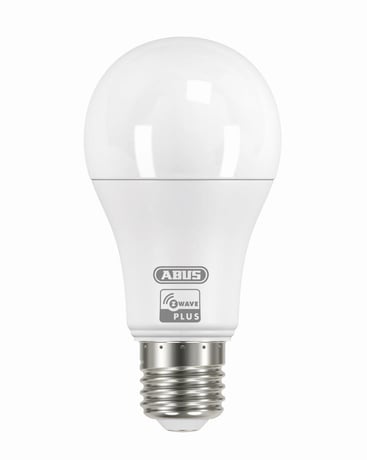
Product Picture


255 - reset
Size: 4 bytes
Default: 0
Minimum: 0
Maximum: 0
Possible values
| From | To | Desription |
|---|---|---|
| -2004318072 | 0 | Reset to factory configuration and removed the Z-Wave network |
| -2013265920 | 0 | Reset Configuration parameter to default value. |
A.) Screw the LED bulb into a standard E27 socket. B.) Click the + (Add) button in your Z-Wave App and follow the further instructions C.) Turn the light-switch on. The App will show if the Add device process was successful and the LED-bulb will flash once. Repeat the inclusion process from step B if it was not successful.
A.) Click the - (Remove) button in your Z-Wave App and follow the further instructions. B.) Switch the LED bulb on. The App will show if the Remove device process was successful. The LED bulb will flash once and then dim to 5%. Repeat the exclusion process from step A if it was not successful.
1. Switch the Power supply oft he LED bulb ON and OFF 6 times in a row. (Interval of 0.5 to 2 seconds) 2. When switched on for the 7th time, the LED bulb flashes twice indicating successful reset to factory settings. Note: 1, This procedure should only be used if the primary gateway is not capable of acting. 2, If the multi-sensor is set to the factory setting, the status is set to ""not included"", the association settings and possible configurations are reset to default.
| Type | Value(s) |
|---|