Zooz
S2 On Off Switch
ZEN26
On/Off Power Switch
HW: 1 FW: 1.00
ZM5202
6.71.03
0x027A (634)
0xA000 (40960)
0xA001 (40961)
ZC10-18116308
2018-11-13 07:08:32.163119
N/A
Enhanced 232 Slave
Always On Slave
Use this S2 switch for fast 3-way, 4-way, and 5-way installations with existing on/off switches.
FEATURES: - Manual or Z-Wave on/off control with instant status updates - Simple Direct 3-Way: connect with existing on/off switches in 3-way, 4-way, and 5-way set-ups, no add-on needed (neutral wire required) - Remembers and restores on/off status after power failure - LED indicator signals inclusion, exclusion, reset, and setting changes - Built-in Z-Wave Plus signal repeater to extend network range - Works with LED, CFL, and incandescent bulbs - S2 security protocol and the latest 500 Z-Wave chip for faster and safer wireless communication - Supported by most Z-Wave controllers SPECIFICATIONS: - Model Number: ZEN26 - Z-Wave Signal Frequency: 908.42 MHz - Power: 120 VAC, 60 Hz - Maximum Load: 8 A, 150 W LED/CFL, 600 W incandescent, 1200 W resistive - Range: Up to 100 feet line of sight - Operating Temperature: 32-104° F (0-40° C) - Installation and Use: Indoor only
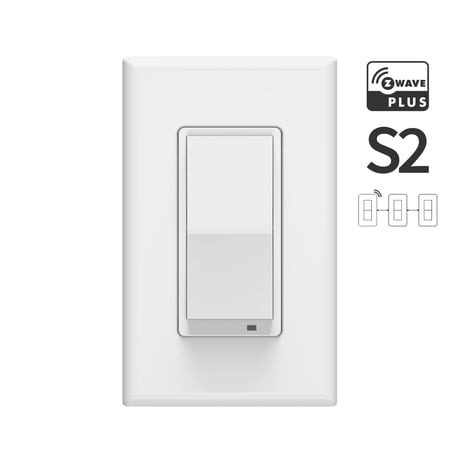
Product Picture


1 - Paddle Control
Choose if you want the upper paddle to turn the light on or turn the light off when tapped.Size: 1 byte
Default: 0
Minimum: 0
Maximum: 0
Possible values
| From | To | Desription |
|---|---|---|
| 0 | 0 | Upper paddle turns the light on, lower paddle turns the light off |
| 1 | 1 | Upper paddle turns the light off, lower paddle turns the light on |
2 - LED Indicator Control
Choose if you want the LED indicator to turn on when the switch (light) is on or off, or if you want it to remain on or off at all times.Size: 1 byte
Default: 0
Minimum: 0
Maximum: 0
Possible values
| From | To | Desription |
|---|---|---|
| 0 | 0 | LED indicator is on when switch is off, LED indicator is off when switch is on |
| 1 | 1 | LED indicator is on when switch is on, LED indicator is off when switch is off |
| 2 | 2 | LED indicator is always OFF |
| 3 | 3 | LED indicator is always ON |
3 - Auto Turn-Off Timer
Use this parameter to set the time after which you want the switch to automatically turn off once it has been turned on. The number entered as value corresponds to the number of seconds.Size: 2 bytes
Default: 0
Minimum: 0
Maximum: 0
Possible values
| From | To | Desription |
|---|---|---|
| 0 | 0 | timer disabled |
| 1 | 32768 | seconds |
5 - On Off Status After Power Failure
Set the on off status for the switch after power failure.Size: 1 byte
Default: 2
Minimum: 0
Maximum: 0
Possible values
| From | To | Desription |
|---|---|---|
| 0 | 0 | forced to OFF (regardless of state prior to power outage) |
| 1 | 1 | forced to ON (regardless of state prior to power outage) |
| 2 | 2 | remembers and restores on/off status after power failure |
1. Initiate inclusion (pairing) in the app (or web interface) of your hub. 2. Tap the upper paddle on the switch 3 times quickly.
1. Bring your Z-Wave gateway (hub) close to the switch if possible 2. Put the Z-Wave hub into exclusion mode (not sure how to do that? [email protected]) 3. Tap the lower paddle on the switch 3 times quickly
If your primary controller is missing or inoperable, you may need to reset the device to factory settings. To complete the reset process manually, tap-tap-tap’n’hold the upper paddle for at least 10 seconds. The LED indicator will flash to confirm successful reset. NOTE: All previously recorded activity and custom settings will be erased from the device’s memory.
- S2 Security - Simple Direct 3-way & 4-way (no add-on switches needed) - Control the LED indicator mode right from the switch
| Type | Value(s) |
|---|