Forest Drapery Hardware
Forest Shuttle LZ ANZ
FS2Z5232000007
Window Covering - Pos/End Aware
HW: 1 FW: 1.00
ZM5202
6.51.10
0x0207 (519)
0x0027 (39)
0x0100 (256)
ZC10-19016362
2019-01-29 22:13:45.601388
N/A
Enhanced 232 Slave
Always On Slave
Noiseless motorized curtain track with many features: Electronic limit setting, Touch Impulse Technology, Integrated Emergency Control when power fails, slow start-stop, 2 speeds
Forest Shuttle L Z-wave, Shuttle S Z-wave (US) and Forest motorized curtain track systems (FMS) make an unbeatable combination when it comes to noiseless operated motorized curtains. The smooth and silent running curtain track system can, in addition to remote operation, also be operated by hand. Thanks to Forest’s special Touch Impulse Technology, a gentle pull on the curtain is enough to activate the motor. The Forest Shuttle L Z-wave, Shuttle S Z-Wave (US) makes sure that your curtains will always hang beautifully smooth and supple. Opened as well as closed! • Touch Impulse Technology, gently pulling the curtain will activate the motor. • Integrated Emergency Control ensures manual operation of the curtain in case of power failure. • Modular motor, different modules can be attached for various control options: Radio Frequency, Switch, Infrared, Domotics, Building/Hotel Automation, Serial Communication, Z-Wave, etc. • Forest Shuttle L Z-Wave and Shuttle S Z-wave (US) will have an internal Z-Wave receiver and BUS connection. • Silent motor, speeds: 14 and 17 cm/sec., with slow start and slow stop. • Full automatic setting of the limits. • Stack-back position programmable to every desired setting. • Forest Shuttle L Z-Wave and Shuttle S Z-wave (US) have an integrated power supply. • Motor pulley connects motor and FMS track. Also available in upside down version to conceal the motor into the ceiling. • Available track lenghts: 5.80 meters and 7.00 meters. FMS track and components available in white, grey and black.
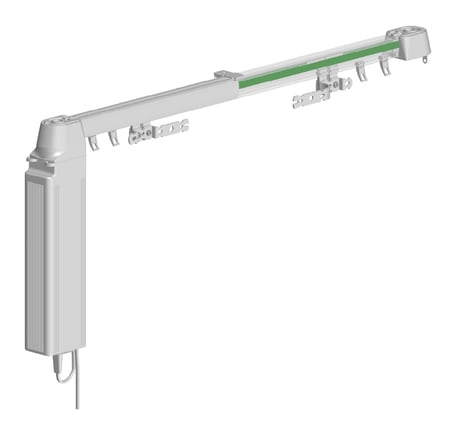
Product Picture
Press configuration button 3 times. LED3 is ON. Press and hold once more for 4 seconds.
Press configuration button 3 times. LED3 is ON. Press and hold once more for 4 seconds.
Press configuration button 25x times. LED 1 is ON. Press and hold once more for 4 seconds to confirm. Please use this procedure only when your network primary controller is missing or otherwise inoperable.
| Type | Value(s) |
|---|