Philio Technology
AC Master Lite
PAR01
Thermostat - HVAC
HW: 0 FW: 1.04:01.07:182.03
SD3502
6.61.00
0x013C (316)
0x0102 (258)
0x8290 (33424)
ZC10-19016349
2019-01-12 01:03:06.155671
N/A
Enhanced 232 Slave
Listening Sleeping Slave
PAR01, AC Master Lite, is a Z-Wave plus compliant Z-Wave-to-IR Bridge to control split air conditioner by receiving Z-Wave command and translating to Infrared command.
PAR01, AC Master Lite, is a Z-Wave plus compliant Z-Wave-to-IR Bridge to control split air conditioner by receiving Z-Wave command and translating to Infrared command. With its comprehensive built-In and cloud-stored IR database (library). PAR01 can control different brands and models of air conditioners worldwide. PAR01 is a security enabled Z-Wave plus device. A security Enabled Z-Wave Plus Controller must be used in order to fully utilize the product. PAR01 is a Z-Wave slave device, it depends on gateway to setup particular AC brand with correct IR code. Different gateway has different user interface for setup.
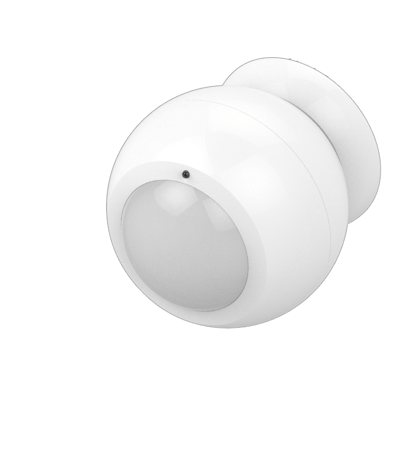
Product Picture


25 - Learn IR Code
Default: 0x0000 range: (0x0000 to 0x01B6) refer to learning mapping tableSize: 2 bytes
Default: 0
Minimum: 0
Maximum: 0
Possible values
| From | To | Desription |
|---|---|---|
| 0 | 32 | Storage Location |
26 - Check IR Code Learning Status
Default: 0x00 range: 0 to 4 (0x00 to 0x04) 0(0x00) : Idle - IR Channel is idle 1(0x01) : OK - the last learning operation was completed successfully 2(0x02) : Learning - PAR01- is busy processing previous learning request 3(0x03) : Full – All locations are being used. 4(0x04) : The last learning request was failed Note:The status value 0x01 and 0x04 will be reset to 0x00 after PAR01 receives a get command to this parameter.Size: 1 byte
Default: 0
Minimum: 0
Maximum: 0
Possible values
| From | To | Desription |
|---|---|---|
| 0 | 4 | Read Only |
27 - Set IR Code Number From built-in code library
Refer to Code Finder WebpageSize: 2 bytes
Default: 0
Minimum: 0
Maximum: 0
Possible values
| From | To | Desription |
|---|---|---|
| 0 | 65535 | IR Code Number |
30 - Set Auto Report condition Trigger by Room Temperature change
0(0x00) = Disable (Default) (for saving battery life) Auto report if room temperature is different from last report. 1(0x01) = 1°F (0.5°C) 2(0x02) = 2°F (1°C) 3(0x03) = 3°F (1.5°C) 4(0x04) = 4°F (2°C) 5(0x05) = 5°F (2.5°C) 6(0x06) = 6°F (3°C) 7(0x07) = 7°F (3.5°C) 8(0x08) = 8°F (4°C)Size: 1 byte
Default: 0
Minimum: 0
Maximum: 0
Possible values
| From | To | Desription |
|---|---|---|
| 0 | 8 | Temp change |
32 - Set built-in IR Emitter Control
Default: 0xFF 0 or 255 (0x00 or 0xFF) 0(0x00): Disable 255(0xFF): Enable (Default)Size: 1 byte
Default: 255
Minimum: 0
Maximum: 0
Possible values
| From | To | Desription |
|---|---|---|
| 0 | 0 | Disable |
| 255 | 255 | Enable |
33 - Control Air Conditioner “SWING” function
Default: 0x01 Range 0 to 1 (0x00 or 0x01) 0(0x00) : Swing OFF 1(0x01) : Swing Auto (Default)Size: 1 byte
Default: 1
Minimum: 0
Maximum: 0
Possible values
| From | To | Desription |
|---|---|---|
| 0 | 0 | Swing OFF |
| 1 | 1 | Swing Auto |
34 - Set Auto Report Condition by Time Interval
Auto report by the following time interval. 1(0x01) = 1 Hr 2(0x02) = 2 Hrs 3(0x03) = 3 Hrs 4(0x04) = 4 Hrs 5(0x05) = 5 Hrs 6(0x06) = 6 Hrs 7(0x07) = 7 Hrs 8(0x08) = 8 Hrs (Default)Size: 1 byte
Default: 8
Minimum: 0
Maximum: 0
Possible values
| From | To | Desription |
|---|---|---|
| 1 | 8 | Hours |
37 - Calibrate Temperature reading
Temperature offset value. 0(0x00) = 0°C (Default) 1(0x01) = 1°C 2(0x02) = 2°C 3(0x03) = 3°C 4(0x04) = 4°C 5(0x05) = 5°C 255(0xFF) = -1°C 254(0xFE) = -2°C 253(0xFD) = -3°C 252(0xFC) = -4°C 251(0xFB) = -5°CSize: 1 byte
Default: 0
Minimum: 0
Maximum: 0
Possible values
| From | To | Desription |
|---|---|---|
| 0 | 5 | Positive range |
| 251 | 255 | Negative range |
1, Refer to your primary controller to enter into the Inclusion Mode or Exclusion Mode 2, When it is prompted to enter it, please triple click the “PROG” button within 1 second. 3, Green Indicator flashes TWICE then stay off
1, Refer to your primary controller to enter into the Inclusion Mode or Exclusion Mode 2, When it is prompted to enter it, please triple click the “PROG” button within 1 second. 3, Green Indicator flashes TWICE then stay off
Press the ""PROG"" button to Wakeup the unit
Press and Hold “PROG” button for 3 seconds on AC Master Lite, the Green Indicator will light up. DO NOT Release the “PROG” Button until Green Indicator flashes TWICE. Remark : Please use this procedure only when the network primary controller is missing or otherwise incoperable.
| Type | Value(s) |
|---|
| Sensor type |
|---|
| Air Temperature |