KDDI CORPORATION
KASAIHOUCHIKIADAPTOR01
UFA01A
Notification Sensor
HW: 97 FW: 1.01
ZM5202
6.51.10
0x016A (362)
0x0A02 (2562)
0x0061 (97)
ZC10-19026375
2019-02-11 22:38:17.911197
N/A
Enhanced 232 Slave
Reporting Sleeping Slave
Yes
KASAIHOUCHIKIADAPTOR01 is a sensor notification device based on Z-Wave enhanced 232 slave library of V6.51.10.
KASAIHOUCHIKIADAPTOR01 is a sensor notification device based on Z-Wave enhanced 232 slave library of V6.51.10. It is a fully functional Z-Wave® sensor that can detect a variety of dry contact signals, you just need to connection the matched external sensor on it, such as the water level sensor, dry contact switch, dry contact relay and so on. In other words, it can be used if the external sensor is a dry contact. It is also a security Z-Wave device and supports the Over The Air (OTA) feature for the product’s firmware upgrade. It can be included and operated in any Z‐Wave network with other Z‐Wave certified devices from other manufacturers and/or other applications. All non‐battery operated nodes within the network will act as repeaters regardless of vendor to increase reliability of the network. It also supports Security Command Class and has the AES 128 bit security encryption built right in, so a security enabled controller is needed for fully to utilize its function.
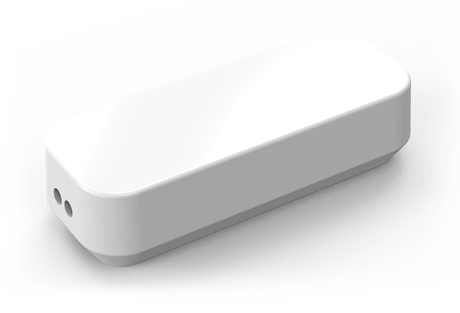
Product Picture


1 - Which value of the Sensor Binary Report will be sent when the Sensor is triggered On/Off.
Size: 1 byte
Default: 0
Minimum: 0
Maximum: 0
Possible values
| From | To | Desription |
|---|---|---|
| 0 | 0 | On=Sensor Binary Report 0xFF, Off=Sensor Binary Report 0x00. |
| 1 | 1 | On=Sensor Binary Report 0x00, Off=Sensor Binary Report 0xFF. |
2 - Enable/disable wake-up 10 minutes when re-power on the Sensor.
Size: 1 byte
Default: 1
Minimum: 0
Maximum: 0
Possible values
| From | To | Desription |
|---|---|---|
| 0 | 0 | disable |
| 1 | 1 | enable |
3 - Which value of the Basic Set will be sent when the Sensor is triggered On/Off.
Size: 1 byte
Default: 0
Minimum: 0
Maximum: 0
Possible values
| From | To | Desription |
|---|---|---|
| 0 | 0 | On=Basic Set 0xFF, Off=Basic Set 0x00. |
| 1 | 1 | On=Basic Set 0x00, Off =Basic Set 0xFF. |
39 - Set the low battery value.
Size: 1 byte
Default: 15
Minimum: 0
Maximum: 0
Possible values
| From | To | Desription |
|---|---|---|
| 10 | 50 | The range of low battery value is 10% to 50% |
111 - Set the interval time of battery report.
Size: 4 bytes
Default: 0
Minimum: 0
Maximum: 0
Possible values
| From | To | Desription |
|---|---|---|
| 0 | 0 | The periodic battery report is disabled. |
| 1 | 2147483647 | the range of interval time is 1 seconds to 2147483647 seconds. |
121 - Configure which command will be sent to the associated nodes when the Sensor is triggered On/Off.
Size: 4 bytes
Default: 0
Minimum: 0
Maximum: 0
Possible values
| From | To | Desription |
|---|---|---|
| 16 | 16 | Send Sensor Binary Report to associated nodes when the Sensor is triggered On/Off. |
| 256 | 256 | Send Basic Set to associated nodes when the Sensor is triggered On/Off. |
| 272 | 272 | Send the Sensor Binary Report and Basic Set to associated nodes when the Sensor is triggered On/Off. |
122 - Set a Notification Type for the device.
Size: 1 byte
Default: 1
Minimum: 0
Maximum: 0
Possible values
| From | To | Desription |
|---|---|---|
| 1 | 1 | The Smoke Alarm notification type is selected for the Sensor. |
| 2 | 2 | The CO Alarm notification type is selected for the Sensor. |
| 3 | 3 | The CO2 Alarm notification type is selected for the Sensor. |
| 4 | 4 | The Heat Alarm notification type is selected for the Sensor. |
| 5 | 5 | The Water Alarm notification type is selected for the Sensor. |
| 6 | 6 | The Access Control notification type is selected for the Sensor. |
| 7 | 7 | The Home Security notification type is selected for the Sensor. |
| 8 | 8 | The Power Management notification type is selected for the Sensor. |
| 9 | 9 | The System notification type is selected for the Sensor. |
| 10 | 10 | The Emergency Alarm notification type is selected for the Sensor. |
| 11 | 11 | The Clock notification type is selected for the Sensor. |
255 - Reset the Sensor.
Size: 4 bytes
Default: 0
Minimum: 0
Maximum: 0
Possible values
| From | To | Desription |
|---|---|---|
| 0 | 0 | Reset to factory default settings. |
| 1431655765 | 1431655765 | Reset to factory default settings and removed from the Z-Wave network. |
Turn the primary controller of Z-Wave network into inclusion mode, short press the product’s Action Button that you can find in the back of the product.
Turn the primary controller of Z-Wave network into exclusion mode, short press the product’s Action Button that you can find in back of the product.
Press the Action Button once, which will trigger sending out the Wake up notification command; press and hold the Action Button for 3 seconds, which will toggle on/off the Sensor be waked up for 10 minutes.
Press and hold the Action Button that you can find in back of the product for at least 20 seconds and then release. This procedure should only be used when the primary controller is inoperable.
Support ""Over the Air Firmware Updating"" and “Z-Wave Security”.
| Type | Value(s) |
|---|
| Group | Type |
|---|---|
| Smoke Alarm | State Idle |