Evolvere
Eugenio
Sentinel 2.0
Gateway
HW: 1 FW: 6.04:02.81:01.00:01.00
ZM5304
6.81.04
0x036F (879)
0x0001 (1)
0x0001 (1)
ZC10-19116790
2019-03-16 00:53:19.027147
N/A
Bridge Controller
Central Static Controller
Yes
Eugenio is Evolvere IoT hub which connects multi-brand smart devices to Evolvere Cloud, for easy management of the smart home
Eugenio is an home gateway manager (HGM) with an innovative design that interacts with ZWave devices. It can be controlled and configured by means of a smartphone APP, which permits to create scenarios and automation rules and to monitor the conditions of your home. The wireless technology which empowers Eugenio and smart devices permits to make the home smarter, easily and quickly. No more cables! Anytime Eugenio let you add new multi-brand sensors or actuators to enhance the possibilities of home control, achive energy savings and guarantee your family safety. Eugenio allows you to remotely control the status of the devices, create moments with customized rules for every daily needs, receive notifications of alarms and anomalies. Eugenio is compatible with lots of sensors and the number of these sensors is constantly growing. The main application areas are: o Energy management: smart metering to control by App consumption, energy production from photovoltaic systems and electricity grid exchanges; management of electrical loads to reduce energy waste; energy check-up service to help you save energy. o Smart Thermostat: Evolvere's digital and connected thermostat let you manage home heating in a very simple way, even remotely. Through Eugenio’s App you can achive thermal comfort and energy saving, reducing your bills and your environmental impact o Safety: motion sensors and door openings, smoke sensors, flood sensor, etc. o Comfort and Quality: air quality control and management, lighting management
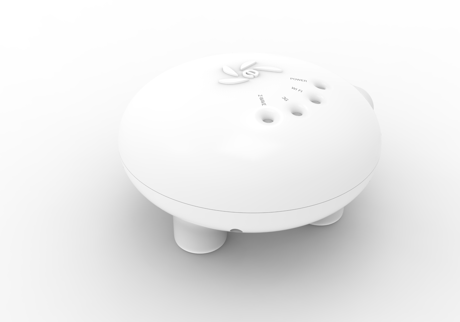
Product Image
To include the controller into an existing Z-Wave network, use the UI and follow the steps below. Click on Z-Wave tab and select Learn mode from a primary controller. This will shift the controller to have a secondary controller role and will receive data from the primary controller in the network.
If this controller is the primary controller for your network, the factory reset operation will result in the nodes in your network being orphaned and it will be necessary after the execution of reset operation to exclude and re-include all of the nodes in the network. If this controller is being used as a secondary controller in the network, use this procedure to reset this controller only in the event that the network primary controller is missing or otherwise inoperable. To reset the controller, hold the reset button for 16 seconds. This will reset it to factory default.
To include a Z-Wave device into the Z-Wave network using Eugenio Controller, use the inclusion wizard available on the mobile app and follow the on-screen instructions. During this process you do not need to use the buttons on the Controller.
To exclude a Z-Wave device from the Z-Wave network using Eugenio Controller, use the exclusion wizard available on the mobile app and follow the on-screen instructions. Refer to device documentation for detailed instructions
| Type | Value(s) |
|---|
| Meter type |
|---|
| Electric Meter Consumption |