Climax Technology
Acoustic Glass Break Detector
ACGS-23ZW
Notification Sensor
HW: 255 FW: 4.01
ZM5202
6.81.04
0x018E (398)
0x0003 (3)
0x000E (14)
ZC10-19066571
2019-06-28 04:14:43.58387
N/A
Enhanced 232 Slave
Reporting Sleeping Slave
Yes
ACGS-23ZW Acoustic Glassbreak Sensor is an excellent first line of defense for perimeter protection. This wireless sensor will alert when a glass window or door is being smashed or broken, providing an extra layer of advanced security for your property.
ACGS-23ZW Acoustic Glassbreak Sensor is an excellent first line of defense for perimeter protection. This wireless sensor will alert when a glass window or door is being smashed or broken, providing an extra layer of advanced security for your property. Our proprietary microphone technology recognizes acoustic patterns to provide full coverage, with a maximum of 8m radius from sensor to glass. With four selectable sensitivity levels, ACGS-23ZW can be easily adjusted to fit large or small rooms. It can also be integrated into security system to activate a siren upon glass break, thereby detering burglars and preventing a full break-in.
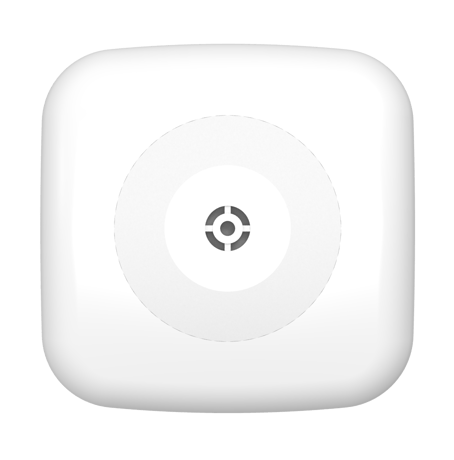
Product Picture
This product can be included and operated in any Z-Wave network with other Z-Wave certified devices from other manufactures and/or other applications. All non-battery operated nodes within the network will act as repeaters regardless of vendor to increase reliability of the network. 1. Insert the 3V CR123A Lithium battery into the battery compartment connecting the correct polarity as shown on the battery compartment lid. 2. Put the Z-Wave gateway or control panel into Inclusion or Learning mode (please refer to the Z-Wave gateway or control panel manual). 3. Within 1 second, press the Function Button 3 times. 4. Refer to the operation manual of the Z-Wave gateway or control panel to complete the learn-in process. 5.If the sensor has already been included (learnt) into another Z-Wave Gateway/Control Panel, or if the sensor is unable to be learnt into the current Z-Wave Gateway/Control Panel, please exclude it first (see Exclusion) before attempting to include it into the current Z-Wave Gateway/Control Panel.
The Glass Break Detector must be removed from existing Z-Wave network before being included into another. There are two methods available to exclude a device. Exclusion Mode 1. Put the Z-Wave gateway or control panel into Exclusion mode (please refer to the Z-Wave gateway or control panel manual). 2. Within 1 second, press the Function Button 3 times and the Glass Break Detector will be removed from the Z-Wave network.
This function uses the Z-Wave Wake Up Command Class. The Wake Up Command Class allows the battery-powered Glass Break Detector to notify the Control Panel/Gateway that it is awake and ready to receive any queued commands. The wake up time is programmed automatically according to Control Panel’s setting when The Glass Break Detector is included. The recommended setting of the wake up time is 60 minutes above.
Factory Reset (Only use factory reset when network Control Panel/Gateway is missing or inoperable). 1. Remove the batteries of the Glass Break Detector first. 2. Press and hold the Function Button. While holding the Function Button, power on the Glass Break Detector by re-inserting the batteries, wait for 10 seconds to factory reset. <NOTE> 1. Factory resetting the Glass Break Detector will restore it to factory default settings (excluded from the Z-Wave network). The Z-Wave gateway or control panel will still keep its Z-Wave settings. Please refer to the gateway or control panel manual on how to remove the Glass Break Detector’s Z-Wave settings.
| Type | Value(s) |
|---|
| Group | Type |
|---|---|
| Home Security | (Refer to parameters): State idle |