IMAZU
Z-Wave Gateway Controller and hub
HAS-R2071M
Gateway
HW: 1 FW: 5.50:02.61:01.00:01.00
ZM5202
6.71.03
0x0374 (884)
0x0003 (3)
0x0001 (1)
ZC10-19036404
2019-03-12 20:49:34.656705
N/A
Bridge Controller
Central Static Controller
Z-Wave gateways and controllers serve as the center of your smart home automation system.
Z-Wave gateways and controllers serve as the center of your smart home automation system. These devices communicate with your Z-Wave devices and accessories allowing you to control your home remotely via your phone, computer or other mobile device.
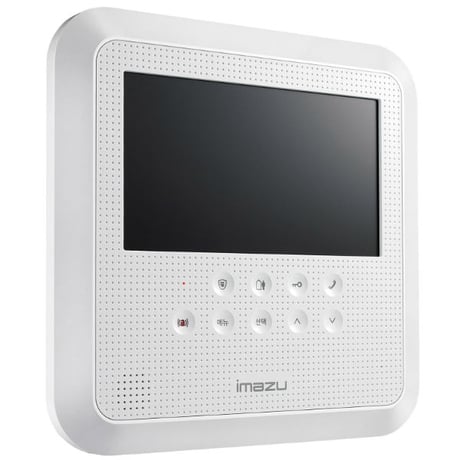
Product Picture
This performs the Z-Wave set learn mode network operation. This can only be performed when Z-Ware is not in a network and will typically make Z-Ware an inclusion or Secondary Controller, in which chase, some of its facilities will not be available. To complete an S2 inclusion, the DSK may need to be entered on the including Controller. Note that this function may let has-r2071m as “secondary controller” or “inclusion controller” in another existing network, just start inclusion mode or controller shift on another controller, then start has-r2071m learn mode, after inclusion, has-r2071m will replicate node information from another controller. Since our design is based on “primary controller”, we recommend that you just use our has-r2071m as “primary controller”
This is the Z-Wave Set default network operation and it pops up a confirmation prompt. If this controller is the primary controller for your network, resetting it will result in the nodes in your network being orphaned and it will be necessary after the reset to exclude and re-include all of the nodes in the network. If this controller is being used as a secondary controller in the network, use this procedure to reset this controller only in the event that the network primary controller is missing or otherwise inoperable.
press iot add device button by plus icon will let into inclusion mode, about 100seconds User can now trigger the device’s node information frame to add to the has-r2071m z-wave network. With Z-Wave security2, user needs to accept or modify the security class setting. It is recommended that the user not change the security class settings. Additionally for security2 class 1 and 2 devices, the user needs to key in the 1st 5digits of the DSK
Pressing the “MODIFY IOT DEVICE” will let into exclusion mode, about 100seconds. User can now trigger the device’s node information frame to remove device from any Z-Wave network.
| Type | Value(s) |
|---|