LG U+ IoT@Home
Smart Switch
SSD-305
On/Off Power Switch
HW: 3 FW: 39.34
ZM5101
6.81.04
0x018C (396)
0x0059 (89)
0x0001 (1)
ZC10-19046430
2019-04-18 16:21:56.269724
N/A
Enhanced 232 Slave
Listening Sleeping Slave
This device is a smart light switch using 1 wire AC line.
This device is a smart light switch using 1 wire AC line. You can control the light from the remote. Input AC power : 220V
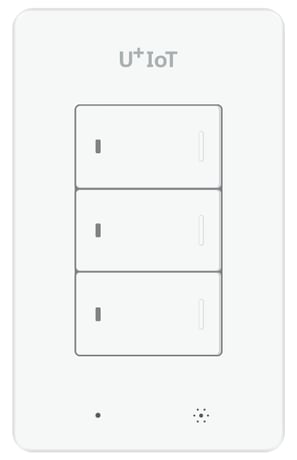
Product Picture


1 - Interval reporting interval
This parameter determines the period in which the temperature and humidity values are transmitted. default Value : 0x258 (integer 600 --> 10 minutes)Size: 2 bytes
Default: 600
Minimum: 0
Maximum: 0
Possible values
| From | To | Desription |
|---|---|---|
| 60 | 3600 | If value is 0x258, The device reports temperature and humidity every 10 minutes. |
2 - report value due to temperature change rate
This parameter determines the amount of temperature change that must be reported. (Temperature Variation / 0x14 (integer 20 -> 2.0C) In the receiving part, divide this value by 10 and treat it as one decimal place.) Default Value : 0x14 Possible value : 0x0a ~ 0x1ESize: 1 byte
Default: 20
Minimum: 0
Maximum: 0
Possible values
| From | To | Desription |
|---|---|---|
| 10 | 30 | the value is set to 20 and If there is a change in temperature above 2 degrees, the temperature is reported regardless of the reporting period. |
3 - report value due to humidity change rate
This parameter determines the amount of humidity change that must be reported (Humidity Variation / 0x0A (integer 10 -> 10%)) Default Value : 0x0A Possible values : 0x05~0x14Size: 1 byte
Default: 10
Minimum: 0
Maximum: 0
Possible values
| From | To | Desription |
|---|---|---|
| 5 | 20 | he value is set to 10 and If there is a change in humidity above 10 %, the humidity is reported regardless of the reporting period. |
After mounting the UZB controller to your PC and running the PC Controller program, click the Add button in the PC Controller program. Press the button on the Smart Power Strip for more than five seconds after you plug the Smart Power Strip into a power outlet and it will include to the network controller, while flashing the red button on the LED Smart Power Strip.
After mounting the UZB controller to your PC and run the PC Controller program you can click the Remove button in the PC Controller program. Press the button on the Smart Power Strip for more than five seconds after you plug the Smart Power Strip into a power outlet will Exclusion in the network controller, while the flashing red button LED Smart Power Strip.
To wake up this device, either press the switch button or try remote control.
With the device powered, press and hold the third button for 10 seconds. he LED of the button will flash red after 5 seconds, it will turn green, then it will flash red again. Then release the button. After a few moments, the entire LED is blinking and the green LED stops flashing. Please use the procedure only in the event thant the network primary controller is missing or otherwise inoperable.
The device measures ambient temperature and humidity and reports periodically. The cycle can be changed through the Configuration Command Class.
| Type | Value(s) |
|---|
| Group | Type |
|---|---|
| Heat Alarm | (Refer to parameters): State idle |
| Sensor type |
|---|
| Humidity |