Alfred
Touchscreen Digital Deadbolt
DB2
Door Lock - Keypad
HW: 19 FW: 3.01:01.32
ZM5202
6.71.03
0x021D (541)
0x0003 (3)
0x0001 (1)
ZC10-19056521
2019-05-13 18:28:51.379214
N/A
Enhanced 232 Slave
Listening Sleeping Slave
Yes
Lock and unlock your door by using the Z-Wave technology anywhere and anytime.
Lock and unlock your door anywhere and anytime by integrate your lock into your Z-Wave home automation or security system for ultimate convenience. Features Bluetooth technology for added convenience with auto-unlock.
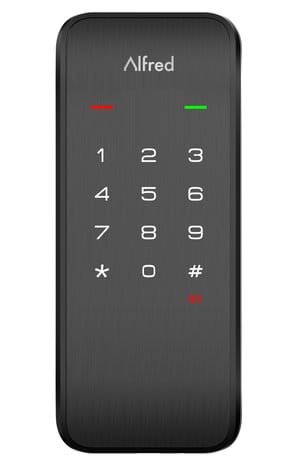
Product Picture
-Follow the user guide of hub to enter inclusion mode. -Operate on lock following guide below: 1.Enter master mode(refer to programming instruction) 2.Input “8” to enter “function extension settings” 3.Input “1” to join a network.
-Follow the user guide of hub to enter exclusion mode. -Operate on lock following guide below: 1.Enter master mode(refer to programming instruction) 2.Input “8” to enter “function extension settings” 3.Input “2” to log off a network.
※Please use this procedure only when the network primary controller is missing or inoperable. -Operations on lock 1.Open the door and keep the lock in ""unlock"" status 2.Open battery box and find the reset button. 3.Use a sharp thing to press and hold the reset button. 4.Keep holding the reset button and remove a battery from battery box then replace it. 5.Keep holding the reset button until hearing voice guide.
| Type | Value(s) |
|---|
| Group | Type |
|---|---|
| Access Control | (Refer to parameters): State idle |