EVA LOGIK
Shock Sensor
ZW1105
Notification Sensor
HW: 1 FW: 20.15
ZM5202
6.51.06
0x0312 (786)
0x2003 (8195)
0xB51C (46364)
ZC10-19056512
2019-05-28 23:14:10.090925
N/A
Routing Slave
Reporting Sleeping Slave
The Shock sensor is designed to detect vibration in objects.
The Shock sensor is designed to detect vibration in objects. When vibration is detected, the sensor will transmit an alarm signal to controller.
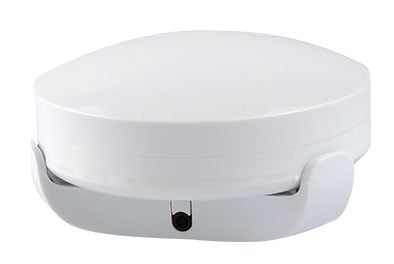
Product Picture
1. Follow the instructions for your Z-Wave certified controller to include a device to the Z-Wave network. 2. Once the controller is ready to include your device, triple click the Tamper switch to include it in the network. 3. Once your controller has confirmed that the device has been included, refresh the Z-Wave network to optimize performance. 4. The device is associated in the same group when it included in setting process. Now you can control your Z-Wave device according to groups, scenes, schedules and automation programmed.
1. Follow the instructions for your Z-Wave certified controller to exclude a device from the Z-Wave network. 2. Once the controller is ready to Exclude your device, triple click the Tamper switch to exclude it from the network
The sensor was wake up when Tamper switch on or sensor detect vibration after mounted on site.
1. Press and hold Tamper switch for at least 3 seconds while you insert the batteries. 2. Use this procedure only in the event that the network primary controller is missing or otherwise inoperable.
| Type | Value(s) |
|---|
| Group | Type |
|---|---|
| Home Security | (Refer to parameters): State idle |
| Sensor type |
|---|
| General Purpose |