GE
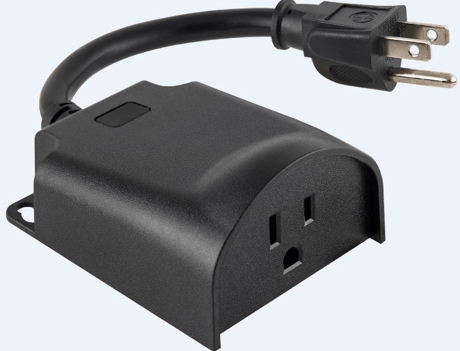
Plug-in Outdoor Smart Switch
14298/ZW4202
On/Off Power Switch
HW: 255 FW: 5.52
ZM5202
6.81.03
0x0063 (99)
0x4F50 (20304)
0x3034 (12340)
ZC10-19066524
2019-05-31 19:17:33.423934
N/A
Enhanced 232 Slave
Always On Slave
Plug-in Outdoor Smart Switch
New Plug-in Outdoor Smart Switch is equipt with S2 and Smart Start which allows for easy and secure inclusion.


3 - LED Indication Configuration
Configure LED indication to default, invert, always off or always onSize: 1 byte
Default: 1
Minimum: 0
Maximum: 0
Possible values
| From | To | Desription |
|---|---|---|
| 0 | 0 | LED ON when device is OFF, LED is OFF when device is ON |
| 1 | 1 | LED ON when device is ON, LED is OFF when device is OFF |
| 2 | 2 | LED always OFF |
| 3 | 3 | LED Always ON |
19 - Alternate Exclusion
Default - normal exclusion Active - perform a series of button presses to help eliminate accidental exclusionSize: 1 byte
Default: 0
Minimum: 0
Maximum: 0
Possible values
| From | To | Desription |
|---|---|---|
| 0 | 0 | Press any button on the switch |
| 1 | 1 | Press two times ON button and two time OFF button, LED will flash 5 times if successful |
1. Follow the instructions for your Z-Wave certified controller to add a device to the Z-Wave network. 2. Once the controller is ready to add your device, press and release the top or bottom of the wireless smart switch (rocker).
1. Follow the instructions for your Z-Wave certified controller to remove a device from the Z-Wave network. 2. Once the controller is ready to remove your device, press and release the top or bottom of the wireless smart switch (rocker).
1. If plugged in, unplug the Switch from the receptacle. 2. Press and hold the button for at least 3 seconds while you plug the switch into a receptacle. Note: This should only be used in the event your network’s primary controller is missing or otherwise inoperable.
| Type | Value(s) |
|---|