Inovelli
On/Off Switch
LZW30
On/Off Power Switch
HW: 1 FW: 2.00
ZM5101
6.81.03
0x031E (798)
0x0004 (4)
0x0001 (1)
ZC10-19086701
2019-08-02 22:31:37.994903
N/A
Enhanced 232 Slave
Always On Slave
The Inovelli On/Off wall switch is our most advanced switch to date allowing for customization directly from the switch itself (no HUB).
The Inovelli On/Off switch is a Z-Wave device that controls attached LED, CFL, & Incandescent lighting which can be highly customized to your liking at the switch itself with our unique config button and advanced firmware.
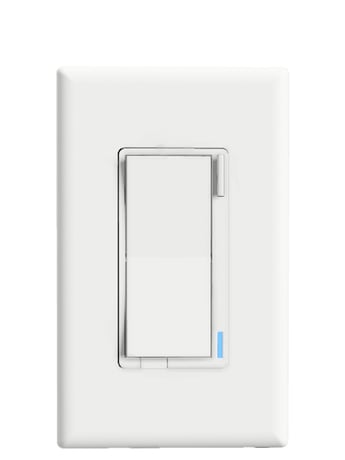
Product Picture


1 - Power On State
When power is restored, the switch reverts to either On, Off, or Last Level. Example of how the values work: 0 = Off, 1-100 = Specific % On, 101 = Returns to Level before Power Outage. This parameter can be set without a HUB from the Configuration Button.Size: 1 byte
Default: 0
Minimum: 0
Maximum: 0
Possible values
| From | To | Desription |
|---|---|---|
| 0 | 0 | When Power is restored, switch is OFF |
| 1 | 100 | When Power is restored, switch turns ON to a certain dim level |
| 101 | 101 | When Power is restored, switch reverts to last status |
2 - Invert Switch
Inverts the switch (Tap Down = On, Tap Up = Off). Example of how the values work: 0 = Disabled, 1 = Enabled. This parameter can be set without a HUB from the Configuration Button.Size: 1 byte
Default: 0
Minimum: 0
Maximum: 0
Possible values
| From | To | Desription |
|---|---|---|
| 0 | 0 | Disabled |
| 1 | 1 | Enabled |
3 - Auto Off Timer
Automatically turns the switch off after x amount of seconds. Example of how the values work: 0 = Disabled, 1 = 1 second, 32767 = 32767 seconds.Size: 2 bytes
Default: 0
Minimum: 0
Maximum: 0
Possible values
| From | To | Desription |
|---|---|---|
| 0 | 0 | Disabled |
| 1 | 32767 | Seconds |
4 - Association Behavior
When should the switch send commands to associated devices.Size: 1 byte
Default: 15
Minimum: 0
Maximum: 0
Possible values
| From | To | Desription |
|---|---|---|
| 1 | 1 | Local |
| 2 | 2 | 3-Way |
| 3 | 3 | 3-Way + Local |
| 4 | 4 | Z-Wave HUB |
| 5 | 5 | Z-Wave HUB + Local |
| 6 | 6 | Z-Wave HUB + 3-Way |
| 7 | 7 | Z-Wave HUB + Local |
| 8 | 8 | Timer |
| 9 | 9 | Timer + Local |
| 10 | 10 | Timer + 3-Way |
| 11 | 11 | Timer + Local |
| 12 | 12 | Timer + Z-Wave HUB |
| 13 | 13 | Timer + Local |
| 14 | 14 | Timer + Z-Wave HUB |
| 15 | 15 | All |
5 - LED Indicator Color
This will set the default color of the LED Bar. This is calculated by using a hue color circle (Value / 255 * 360). See website for more info. This parameter can be set without a HUB from the Configuration Button.Size: 2 bytes
Default: 170
Minimum: 0
Maximum: 0
Possible values
| From | To | Desription |
|---|---|---|
| 0 | 255 | Hue Color Circle |
| 170 | 170 | Blue |
6 - LED Indicator Intensity
This will set the intensity of the LED bar (ie: how bright it is). Example of how the values work: 0 = Off, 1 = Low, 5 = Medium, 10 = High. This parameter can be set without a HUB from the Configuration Button.Size: 1 byte
Default: 5
Minimum: 0
Maximum: 0
Possible values
| From | To | Desription |
|---|---|---|
| 0 | 0 | Off |
| 1 | 3 | Low Intensity |
| 4 | 7 | Medium Intensity |
| 8 | 10 | High Intensity |
7 - LED Indicator Intensity (When Off)
This is the intensity of the LED bar when the switch is off. Example of how the values work: 0 = Off, 1 = Low, 5 = Medium, 10 = High. This parameter can be set without a HUB from the Configuration Button.Size: 1 byte
Default: 1
Minimum: 0
Maximum: 0
Possible values
| From | To | Desription |
|---|---|---|
| 0 | 0 | Off |
| 1 | 3 | Low Intensity |
| 4 | 7 | Medium Intensity |
| 8 | 10 | High Intensity |
8 - LED Strip Effect
This will allow you to add some sweet effects to your LED bar (ie: pulse, chase, solid, etc). Example of how the values work: Byte 1 = Choose Color, Byte 2 = Choose Brightness Level, Byte 3 = Choose Effect, Byte 4 = Duration. Please see website for further instructions on how to set this up as the possible values are a matrix. You start with Byte 1 to select the color, then move to Byte 2 to select the Brightness Level, then move to Byte 3 to choose the Effect, and finally move to Byte 4 to choose the Duration.Size: 4 bytes
Default: 0
Minimum: 0
Maximum: 0
Possible values
| From | To | Desription |
|---|---|---|
| 0 | 0 | Please see website for matrix |
To include your switch, start the inclusion process on your HUB and tap the Configuration Button three (3) times. Please Note: If this doesn't work, you can check to see if your switch is within Z-Wave Range by holding down the Configuration Button for 5-10 seconds (if it's not within range, the LED Bar will indicate Red and if it is within Range, the LED Bar will indicate Green). If your switch indicates Red, please move the switch closer to the HUB. If your switch indicates Green, please try running an Exclusion to reset your switch.
To Exclude your switch, put your HUB in exclusion mode and press the Configuration Button three (3) times.
You may factory reset the switch by holding down the Config Button for twenty (20) or more seconds. The LED Bar will turn Red and blink three (3) times to confirm. However, we recommend using a certified Z-Wave controller to remove the device from your network for factory resetting the switch. Only use either of these procedures in the event that the network primary controller is missing or otherwise inoperable.
Configuration/Favorites Button: This switch allows for ultimate customization via the Configuration Button (rather than via a Z-Wave HUB) such as the power on state, LED Indicator Color, LED Indicator Intensity, and LED Indicator Intensity (When Off). OTA (Over-the-Air) Enabled: As with all our devices, the switch allows you to receive our latest firmware updates (NOTE: Please make sure your HUB supports this).
| Type | Value(s) |
|---|