Philio
Recessed Door Sensor
PSM09-A
Notification Sensor
HW: 255 FW: 0.10
SD3502
6.81.04
0x013C (316)
0x0002 (2)
0x006A (106)
ZC10-19066570
2019-06-28 04:21:32.058987
N/A
Enhanced 232 Slave
Reporting Sleeping Slave
Yes
PSM09 is only for indoor using device. PSM09 can detect the the door is open or not. Those newest features of the Z-WaveTM technology. Z-WaveTM is a wireless ommunication protocol designed for home automation, specifically to remotely control applications in residential and light commercial environments.
PSM09 is only for indoor using device. PSM09 can detect the the door is open or not. The Recessed door sensor PSM09 is Base on Z-WaveTM technology. It is the Z-WaveTM plus product, it support the security, OTA. Those newest features of the Z-WaveTM technology. Z-WaveTM is a wireless communication protocol designed for home automation, specifically to remotely control applications in residential and light commercial environments. The technology uses a low-power RF radio embedded or retrofitted into home electronics devices and systems, such as lighting, home access control, entertainment systems and household appliances. Notice: if user use some command, it have to check device is security bootstrap otherwise some command cannot increment. This device is a security enabled Z-Wave Plus product that is able to use encrypted Z-Wave Plus messages to communicate to other security enabled Z-Wave Plus products. This device must be used in conjunction with a Security Enabled Z-Wave Controller in order to fully utilize all implemented functions. This product can be operated in any Z-Wave network with other Z-Wave certified devices from other manufacturers. All non-battery operated nodes within the network will act as repeaters regardless of vendor to increase reliability of the network.
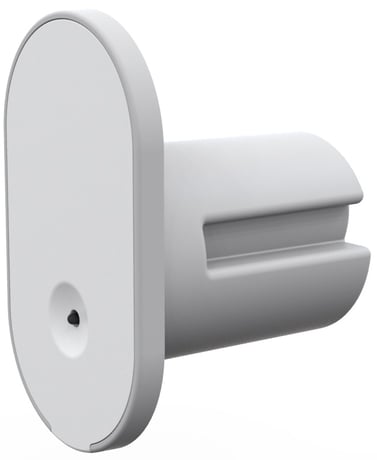
Product Picture


1 - Auto report state time
The interval time for auto report the door/window & battery level. 0 means turn off auto report state. Units of 30 minutes.Size: 1 byte
Default: 12
Minimum: 0
Maximum: 0
Possible values
| From | To | Desription |
|---|---|---|
| 0 | 127 | 0 means turn off auto report state. Units of 30 minutes. |
Check Z-WaveTM Controller enter inclusion mode. Pressing tamper key three times within 3 seconds to enter the inclusion mode. If the addition is successful, the LED will flash slowly.
Check Z-WaveTM Controller enter exclusion mode. Pressing tamper key three times within 3 seconds to enter the exclusion mode. If the removal is successful, the code light will flash for 30 seconds.
After the device adding to the network, it will wake-up once per day in default. When it wake-up it will broadcast the “Wake Up Notification”message to the network, and wake-up 10 seconds for receive the setting commands. The wake-up interval minimum setting is 30 minutes, and maximum setting is 120 hours. And the interval step is 30 minutes. If the user want to wake-up the device immediately, please press the tamper key once. The device will wake-up 10 seconds.
Notice: Use this procedure only in the event that the primary controller is lost or otherwise inoperable. Press the button three times in three seconds, then LED will flash for one second slowly. Press the button again and hold, the LED will light up, after about three seconds, the LED will off. Please release the button in two seconds. If the clearing is successful, the LED will flash one time per second. If it fails, the LED will flash quickly.
| Type | Value(s) |
|---|
| Group | Type |
|---|---|
| Access Control | (Refer to parameters): State idle |
| Home Security | (Refer to parameters): State idle |
| Sensor type |
|---|
| General Purpose |