Enplug Smart IoT
SmartHome IoT Hub
EIH-100E
Gateway
HW: 1 FW: 39.16:39.17
ZM5101
6.81.05
0x041E (1054)
0x0001 (1)
0x0001 (1)
ZC10-19086717
2019-08-07 18:15:22.447023
N/A
Bridge Controller
Central Static Controller
Universal Controller for controlling Door Lock/Switch and Thermostat groups.
Enplug IoT Hub is universal controller which can control several control groups. This IoT Hub can support full function of Door Lock/Switch and Thermostat. Other products made as general Z-Wave plus standard can be controlled with limited function.
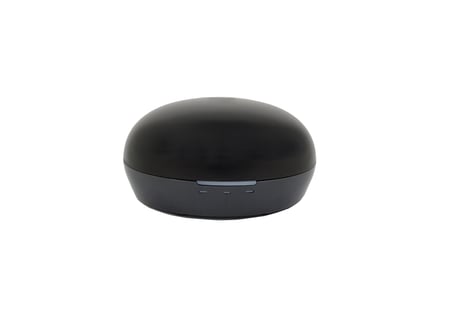
Product Image Published
- This performs the Z-Wave Set Learn Mode network operation. This can only be performed when Z-Ware is not in a network and will typically make Z-Ware an Inclusion or Secondary Controller, in which case, some of its facilities will not be available. To complete an S2 inclusion, the DSK may need to be entered on the including Controller.
- This is the Z-Wave Set Default network operation and a confirmation message appears. - If this controller is the primary controller for your network, resetting it will result in the nodes in your network being orphaned and it will be necessary after the reset to exclude and re-include all of the nodes in the network. If this controller is being used as a secondary controller in the network, use this procedure to reset this controller only in the event that the network primary controller is missing or otherwise inoperable.
- Pressing the “ADD NEW DEVICE” button in webpage will let EIH-100E into inclusion mode. - If the slave is Z-Wave Security 2 device, you need to accept or modify the security class settings. (recommend : the user not change the security class settings.) - If the slave is Z-Wave Security 2 device for Security 2 Class 1 and 2 devices, you need to key in the first 5 digits of the DSK.
- Pressing the “REMOVE DEVICE” button in webpage will let EIH-100E into exclusion mode.
| Type | Value(s) |
|---|