Vision
U-Bell
ZM1611JP-5
Sound Switch
HW: 5 FW: 1.00
ZM5202
6.81.03
0x0109 (265)
0x2005 (8197)
0x05A0 (1440)
ZC10-19076687
2019-07-25 19:37:01.801579
N/A
Enhanced 232 Slave
Listening Sleeping Slave
Yes
U-Bell is an innovative smart bell for identifying different event by specific melody.
U-Bell is an innovative smart bell for identifying different event by specific melody. Melody everywhere to make your home your own, ubiquitous, unique & universal, support WAV Format up to 300 seconds and support maximum 254 melodies on any Z-Wave™ enabled network. When the device is secure included into Z-Wave network, above communication will be encrypted.
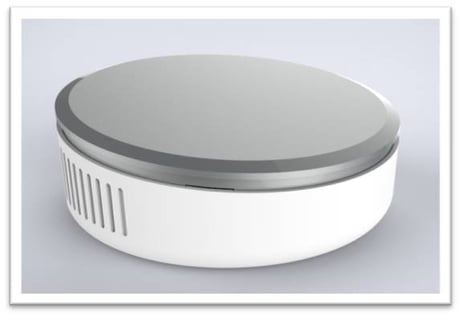
Product Picture
For “Inclusion” in (adding to) a network: Put the Z-Wave™ Interface Controller into “inclusion” mode, and following its instruction to add the ZM1611-5 to your controller. To get in the “inclusion” mode, press and hold the program switch of ZM1611-5 for 3 seconds at least & release to be included. After setting, the LED should go off, if not, please try again. (After sending one time’s Z-Wave NIF and not be included then it will send 4 times NWI in every 30 seconds for auto inclusion. The LED will flash again if the U-Bell has not been included or the LED will go off after inclusion.)
For “Exclusion” from (removing from) a network: Set up the Z-Wave™ Interface Controller into “exclusion” mode, and following its instruction to remove the ZM1611-5 from your controller. Press and hold the program switch of ZM1611-5 for 3 seconds at least & release to be excluded. The LED will flash again after exclusion
For ""Reset"": Press and hold the Program Switch for 5 seconds “at least”, power on until the LED turns on then release the switch, U-Bell will send Command Class Device Reset Locally for Reset Process. (Remark: This is to be used only in the case of primary controller being inoperable or otherwise unavailable.)
| Type | Value(s) |
|---|