Alarm.com
Smart Water Valve
ADC-SWV100
Valve
HW: 1 FW: 1.14:01.00
ZM5202
6.81.03
0x0190 (400)
0x0007 (7)
0x0002 (2)
ZC10-19096761
2019-07-30 22:29:47.203336
N/A
Enhanced 232 Slave
Always On Slave
Z-Wave controlled water valve.
Z-Wave controlled water valve for home water supply.
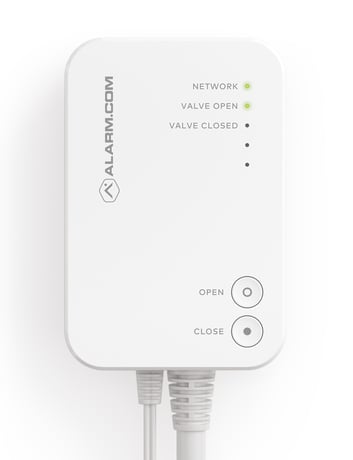
Product Image


1 - Z-Wave Listen Before Talk (LBT) Threshold – Channel 0
Set the Channel 0 LBT threshold on the Smart Water Valve. The threshold controls at what RSSI level the Z-Wave radio will refuse to transmit because of noise. Each step corresponds to a 1.5dB power step.Size: 1 byte
Default: 78
Minimum: 0
Maximum: 0
Possible values
| From | To | Desription |
|---|---|---|
| 34 | 76 | Decimal |
2 - Z-Wave Listen Before Talk (LBT) Threshold – Channel 1
Set the Channel 1 LBT threshold on the Smart Water Valve. The threshold controls at what RSSI level the Z-Wave radio will refuse to transmit because of noise. Each step corresponds to a 1.5dB power step.Size: 1 byte
Default: 78
Minimum: 0
Maximum: 0
Possible values
| From | To | Desription |
|---|---|---|
| 34 | 78 | Decimal |
69 - Device Reset (Write only)
A write of 0x0B36 to this configuration parameter will cause the Smart Water Valve to reset.Size: 2 bytes
Default: 0
Minimum: 0
Maximum: 0
Possible values
| From | To | Desription |
|---|---|---|
| 2870 | 2870 | Magic Number Reset Value |
1) Put Z-Wave controller into Add mode. See Z-Wave controller documentation for further information. 2) Press the NETWORKING button on the side of the control unit. The Z-Wave LED will begin to blink. 3) The valve has been successfully added to the network when the Z-Wave LED becomes solid.
1) Put Z-Wave controller into Remove mode. See Z-Wave controller documentation for further documentation. 2) Press the NETWORKING button on the side of the control unit. The Z-Wave LED will begin to blink. 3) The valve has been successfully removed from the network when the Z-Wave LED is no longer flashing or illuminated.
NOTE: Device reset will reset EEPROM, configuration parameters, Z-Wave chip and forcibly clear the Smart Water Valve’s Z-Wave Node Identification. Please use this procedure only when the network primary controller is missing or otherwise inoperable. 1) Press and hold the NETWORKING button on the side of the control unit 5 seconds. The LEDs will blink rapidly for 5 seconds. 2) If there are nodes in the “Lifeline” association group, the LEDs will blink slower until all nodes are notified using a Device Reset Locally Report. 3) Once the device has been reset, the LEDs will return to their normal state.
| Type | Value(s) |
|---|