Climax Technology
Water Leakage Sensor
WLS-23-ZW
Notification Sensor
HW: 255 FW: 4.04
ZM5202
6.81.04
0x018E (398)
0x0003 (3)
0x0012 (18)
ZC10-19086692
2019-07-31 17:13:35.448008
N/A
Enhanced 232 Slave
Reporting Sleeping Slave
Yes
WLS-23-ZW is a Z-Wave enabled device and is fully compatible with any Z-Wave enabled network. It is a Security Enabled Z-Wave Plus product and is capable of sending wireless signals to the Z-Wave enabled network upon water detection.
WLS-23-ZW is a Z-Wave enabled device and is fully compatible with any Z-Wave enabled network. It is a Security Enabled Z-Wave Plus product and is capable of sending wireless signals to the Z-Wave enabled network upon water detection. The Water Sensing Cable and built-in water sensing probes can detect water leakage or flood condition. It can be placed on the ground, or mounted on the wall and further extended by connecting to another water sensing cable to improve detection range.
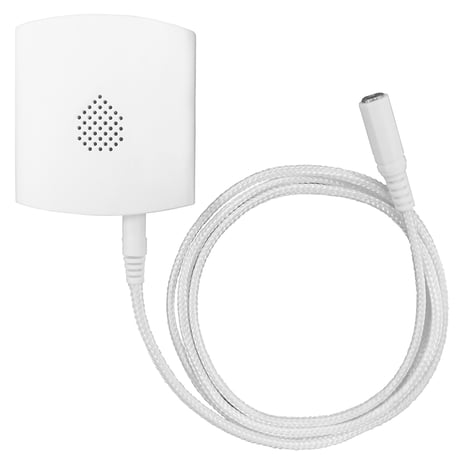
Product Picture
1. Open the cover by removing the bottom fixing screw (using a Philips screwdriver) on the Water Leak Sensor. 2. Insert the battery in the battery compartment 3. Put the Z-Wave gateway or control panel into Inclusion mode (please refer to the Z-Wave gateway or control panel manual). 4. Within 1.5 seconds, press the Function Button 3 times. 5. Refer to the operation manual of the Z-Wave gateway or control panel to complete the adding process. 6. If the sensor has already been added (included) into another Z-Wave Gateway/Control Panel, or if the sensor is unable to be learnt into the current Z-Wave Gateway/Control Panel, please exclude it first (see Removing Device) before attempting to include it into the current Z-Wave Gateway/Control Panel. 7. Reattach the cover to the base and tighten the bottom-fixing screw.
1. Put the Z-Wave gateway or control panel into Exclusion mode (please refer to the Z-Wave gateway or control panel manual). 2. Within 1.5 seconds, press the Function Button 3 times and the Water Leak Sensor will be removed from the Z-Wave network.
This function uses the Z-Wave Wake Up Command Class. The Wake Up Command Class allows the battery-powered Water Leak Sensor to notify the Control Panel/Gateway that it is awake and ready to receive any queued commands. The wake up interval is programmed automatically according to the Control Panel’s setting when the Water Leakage Sensor is included. The default wakeup interval is 5 minutes.
(Only use factory reset when network Control Panel/Gateway is missing or inoperable). Press and hold the Function Button of the Water Leak Sensor for 10 seconds to factory reset.
| Type | Value(s) |
|---|
| Group | Type |
|---|---|
| Water Alarm | (Refer to parameters): State idle |
| Sensor type |
|---|
| Air Temperature |
| Humidity |