Honeywell
In-Wall Smart Switch
39348/ZW4008
On/Off Power Switch
HW: 255 FW: 5.53
ZM5202
6.81.03
0x0039 (57)
0x4952 (18770)
0x3135 (12597)
ZC10-19086694
2019-08-01 23:22:16.687689
N/A
Enhanced 232 Slave
Always On Slave
Honeywell In-Wall Smart Switch with QuickFit and SimpleWire enhancements.
In-Wall Smart Switch with QuickFit and SimpleWire enhancements. Revolutionary QuickFit design features a housing depth that is up to 20 percent smaller than the previous Z-Wave models. This reduced size coupled with the elimination of heat taps provides a better fit in older style boxes and multi-gang configurations. SimpleWire technology allows line and load to automatically be configured with auto-sensing line-load terminals. All of this is coupled with Z-Wave S2 and Smart Start allows for effortless installation while being safer than ever!
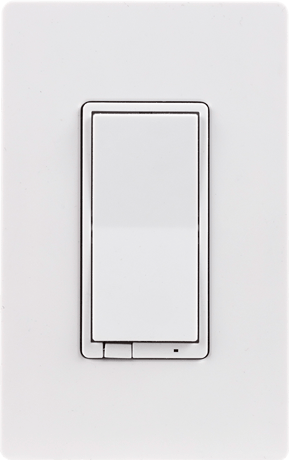
Product Picture


3 - LED Indication Configuration
Size: 1 byte
Default: 0
Minimum: 0
Maximum: 0
Possible values
| From | To | Desription |
|---|---|---|
| 0 | 0 | LED ON when device is OFF, LED OFF when device is ON |
| 1 | 1 | LED ON when device is ON, LED OFF when device is OFF |
| 2 | 2 | LED Always OFF |
| 3 | 3 | LED Always ON |
19 - Alternate Exclusion
0 (default) - Press any button on the device 1 - Press 2 times ON button and then 2 times OFF button, LED will flash 5 times if done successfulSize: 1 byte
Default: 0
Minimum: 0
Maximum: 0
Possible values
| From | To | Desription |
|---|---|---|
| 0 | 0 | Press any button on the device |
| 1 | 1 | Press 2 times ON button and then 2 times OFF button, LED will flash 5 times if done successful |
1. Follow the instructions for your Z-Wave certified controller to add a device to the Z-Wave network. 2. Once the controller is ready to add your device, press and release the top or bottom of the wireless smart switch (rocker) to add it in the network. If prompted by the controller to enter the S2 security code, refer to the QR code/security number on the back of the box, or the QR code label on the product.
1. Follow the instructions for your Z-Wave certified controller to remove a device from the Z-Wave network. 2. Once the controller is ready to remove your device, press and release the top or bottom of the wireless smart switch (rocker) to remove it from the network.
Quickly press ON (top) button 3 times, then, immediately press the OFF (bottom) button 3 times. The LED will flash ON/OFF 5 times when completed successfully. Note: This should only be used in the event your network’s primary controller is missing or otherwise inoperable.
| Type | Value(s) |
|---|