Ilumin by Inovelli
RGBW Smart Bulb
LZW42
Light Dimmer Switch
HW: 0 FW: 2.25
ZM5101
6.51.09
0x031E (798)
0x0005 (5)
0x0001 (1)
ZC10-19086720
2019-08-23 20:12:16.080658
N/A
Enhanced 232 Slave
Always On Slave
The RGBW bulb by ilumin allows you to experience a vast array of colors across the RGB spectrum, while also allowing you to tune your bulb to the proper Kelvin (warm or cold white). All powered by Z-Wave Plus technology.
With 806 lumens, millions of colors, tunable white, and smooth dimming, this bulb has it all. Best part? It's powered by Z-Wave Plus technology. Imagine walking into a room, tapping a switch (hopefully Inovelli) and your ilumin lights come on to a beautiful movie scene. Or as you're winding down for the night, switch from cool white to warm and gradually dim off the lights as you drift to sleep. These are some of the many things you can do with smart bulbs and we're excited to be able to share them with you.
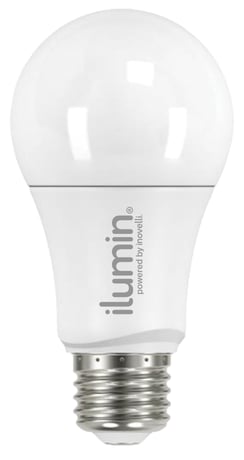
Product Image Published


2 - Memory Function
This parameter will determine how your bulb behaves after power is restored to it from an outage.Size: 1 byte
Default: 0
Minimum: 0
Maximum: 2
Possible values
| From | To | Desription |
|---|---|---|
| 0 | 0 | Remembers Last State |
| 1 | 1 | Bulb turns ON after power outage |
| 2 | 2 | Bulb turns OFF after power outage |
51 - Color Adjustment (Warm White)
This parameter adjusts the bulb along the warm-white spectrum.Size: 2 bytes
Default: 1387
Minimum: 1387
Maximum: 4999
Possible values
| From | To | Desription |
|---|---|---|
| 1387 | 4999 | Changes the Kelvin from 2700k (1387) to 4999k (4999) |
52 - Color Adjustment (Cool White)
This parameter adjusts the bulb along the cool-white spectrum.Size: 2 bytes
Default: 6500
Minimum: 5000
Maximum: 6500
Possible values
| From | To | Desription |
|---|---|---|
| 5000 | 6500 | Changes the Kelvin from 5000k (5000) to 6500k (6500) |
Start the inclusion process on your HUB/Gateway. Once the inclusion process has started, turn on and off power to the bulb 3x (ie: Turn On, Turn Off, Turn On, Turn Off, Turn On) and the bulb should flash 3x indicating it’s in inclusion mode. If the bulb was included successfully, it will blink one more time. If it was not included successfully, you may have to run an exclusion as mentioned above. If there’s still issues, please ensure your bulb is within range (Pages 2 & 3).
If you are having issues pairing/including your device, please ensure your bulb is within range of your HUB (pages 2-3). If you believe you’re within range and it’s still not working, then you may have to run an Exclusion. Put your HUB in Exclusion mode and turn the power on/off/on/off/on/off/on (3x on and 2x off) until your bulb blinks three (3x) and then blinks 1x to confirm. Your HUB should say that the device is excluded. You may then add (include) the bulb per the instructions below.
You may power on/off the bulb 6x (between 0.5-2 seconds each time) or use a certified controller to remove the device from your network to factory default. Only use this procedure in the event that the network primary controller is missing or otherwise inoperable. Your bulb will flash twice to confirm factory reset.
| Type | Value(s) |
|---|