Remotec
Z-Wave Repeater
ZRP-120NA
Repeater
HW: 1 FW: 0.10
ZM5202
6.71.01
0x5254 (21076)
0x1000 (4096)
0x8141 (33089)
ZC10-19086730
2019-08-28 11:20:05.279708
N/A
Routing Slave
Always On Slave
ZRP-120 is a Z-Wave repeater with best RF performance to replicate Z-Wave signals in a network.
ZRP-120 is a Z-Wave repeater with best RF performance to replicate Z-Wave signals in a network. The repeater re-transmits an input Radio Frequency (RF) signal by routing the signal around obstacles and radio dead spots to ensure that the signal is received at its intended destinations. ZRP-120 is a security enabled Z-Wave plus device. A security Enabled Z-Wave Plus Controller must be used in order to fully utilize the product.
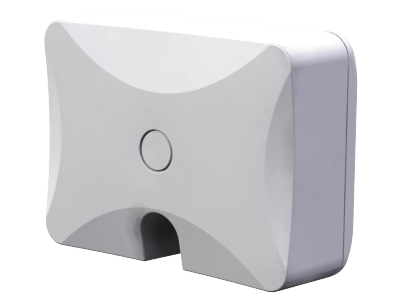
Product Image Published
Include or Exclude the ZRP-120 from the existing Z-Wave Home Control Network with your primary controller. - Refer to your primary controller instructions to process the inclusion / exclusion setup procedure. - When prompted by your primary controller, triple click the PROG button within 1 second. - The primary controller should indicate that the action was successful. If the controller indicates the action was unsuccessful, please repeat the procedure.
Include or Exclude the ZRP-120 from the existing Z-Wave Home Control Network with your primary controller. - Refer to your primary controller instructions to process the inclusion / exclusion setup procedure. - When prompted by your primary controller, triple click the PROG button within 1 second. - The primary controller should indicate that the action was successful. If the controller indicates the action was unsuccessful, please repeat the procedure.
All Configuration Parameter values and Association information will be restored to factory default settings and excluded from the network. Step Setup Key LED Indication Status on ZRP-100 1 Press and keep holding the PROG button for not less than 10 seconds. - LED state will toggle for first 5 seconds of being pressed. - LED state will toggle again after the remaining 5 seconds. 2 Release the PROG button then triple click the PROG button within 2 seconds of step 1. - LED will stay in previous ON or OFF stage. Remark: All the setting and data will be permanently deleted. Please use this procedure only when the network primary controller is missing or otherwise inoperable.
Not support
| Type | Value(s) |
|---|