B.One
B.One Smart Sensor
B1SS02-ZW-IN
Notification Sensor
HW: 1 FW: 1.04
ZM5202
6.51.08
0x0311 (785)
0x0001 (1)
0x0101 (257)
ZC10-19116804
2019-11-27 20:23:53.020669
N/A
Enhanced 232 Slave
Reporting Sleeping Slave
Yes
B.One Smart Sensor is a wireless reed sensor powered by AAA battery. It is used for detecting the opening or closing of doors, windows.
B.One Smart Sensor is a wireless reed sensor powered by AAA battery. It is used for detecting the opening or closing of doors, windows. It can communicate with an associated Z-Wave device, such as Siren, Smart Switch, etc.
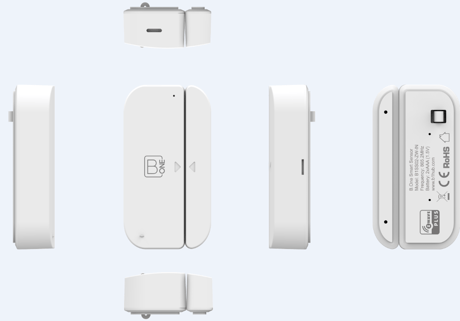
Product Image


14 - Enable/Disable BASIC SET command
Door/Window Sensor can send BASIC SET command to nodes associated with group 2.Size: 1 byte
Default: 0
Minimum: 0
Maximum: 0
Possible values
| From | To | Desription |
|---|---|---|
| 0 | 0 | The function is disabled |
| 1 | 1 | The function is enabled. |
15 - Value of the BASIC SET
Door/Window Sensor can reverse its value of BASIC SET when the magnet is triggered.Size: 1 byte
Default: 0
Minimum: 0
Maximum: 0
Possible values
| From | To | Desription |
|---|---|---|
| 0 | 0 | Send BASIC SET VALUE = 255 to nodes associated with group 2 when door/window is opened.Send BASIC SET VALUE = 0 to nodes associated with group 2 when door/window is closed. |
| 1 | 1 | Send BASIC SET VALUE = 0 to nodes associated with group 2 when door/window is opened.Send BASIC SET VALUE = 255 to nodes associated with group 2 when door/window is closed. |
32 - Level of low battery
This parameter defines a battery level as the “low battery”.Size: 1 byte
Default: 20
Minimum: 0
Maximum: 0
Possible values
| From | To | Desription |
|---|---|---|
| 10 | 50 | the value here defines the "low battery" |
1. Insert the AAA battery. 2. Set the Z-Wave network main controller into inclusion. 3. Triple or single short press the Z-button. 4. If the add for inclusion is successful, the LED will blink less than 5 seconds and then keep on 3 seconds. Otherwise, the LED will blink 5 seconds and then turn off, in which case you need to repeat the process from step 2.
1. Insert the AAA battery. 2. Set the Z-Wave network main controller into exclusion. 3. Triple clicking the Z-button. 4. If the remove for exclusion, the LED will turn off within 1 second. Otherwise, the LED will blink 5 seconds and then turn off, in which case you need to repeat the process from step 2.
Press and hold for 3-20 seconds 1. LED will blink to the 20th second. 2. Door/Window Sensor will send “wake up notification command” to the nodes which is assigned by “Wake Up Command”. 3. Door/Window Sensor will enable/disable “awake for 5 minutes function”.
1. Insert the AAA battery. 2. Pressing and holding the Z button for more than 20 seconds, 3. Led will keep on until the Z-Button is released, and it will reset to factory default when the button is released. Using this procedure only in the event that the network primary controller is missing or otherwise inoperable.
| Type | Value(s) |
|---|
| Group | Type |
|---|---|
| Access Control | (Refer to parameters): State idle |
| Home Security | (Refer to parameters): State idle |