BRK Brands, Inc
ZCOMBO-G
ZCOMBO
Notification Sensor
HW: 2 FW: 4.01:00.01
ZM5202
6.81.03
0x0138 (312)
0x0001 (1)
0x0003 (3)
ZC10-19126821
2019-12-19 21:35:25.001406
N/A
Routing Slave
Reporting Sleeping Slave
Yes
Z-Wave Enabled Battery Smoke & Carbon Monoxide Combo Alarm
The Z-Wave Smoke/CO alarm can be implemented in residential and institutional applications. Installation settings include sleeping areas within hospitals, hotels, motels, dormitories and other multi-family dwellings that are defined in standard NFPA 101. The First Alert ZCOMBO-G Smoke and Carbon Monoxide Detector has been fully tested and complies with UL217, UL2034, CSFM, NFPA 720, NFPA 101 and other agencies that model their codes after the above agencies. The combination alarm meets building codes that require the use of a battery operated Z-Wave wireless Smoke and CO detector. This First Alert Z-Wave Combination Alarm includes silence features and meets the model building codes published by the ICC. The First Alert Z-Wave Combo Alarm includes: an insect screened photoelectric smoke sensing chamber, electrochemical carbon monoxide sensor, 85dB horn, supervised 3V (2 AA batteries) power supply, full function test switch and a silence feature. The First Alert Z-Wave Enabled Battery Smoke & Carbon Monoxide Combo Alarm includes a battery drawer that prevents battery removal and tamper resistant locking pins that lock the alarm to the mounting bracket. This First Alert Combination Alarm is an ideal fit for any number of applications that include apartments, dormitories, and hotels. Designed for wall or ceiling mounting, this alarm includes all of the required mounting anchors and screws needed for easy installation.
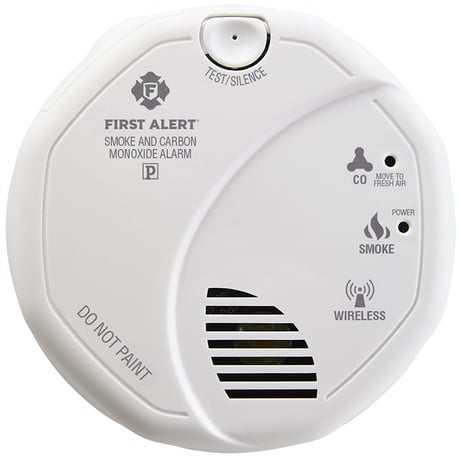
Product Image
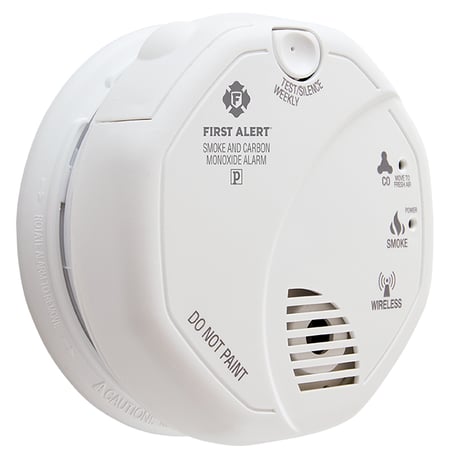
Product picture from right angle
ADD 1. Slide battery door open. 2. Insert batteries checking the correct orientation. 3. Press and hold the test button. Keep it held down as you slide the battery drawer closed. You may then release the button.
REMOVE 1. Slide battery door open. 2. Remove and re-insert batteries checking the correct orientation. 3. Press and hold the test button. Keep it held down as you slide the battery drawer closed. You may then release the button.
PROCEDURE TO MANUALLY WAKE-UP THE DEVICE To manual wake-up the device, slide the battery door open wait for ~5 seconds and then slide the battery drawer closed. Upon power-up, the device will send the wake-up notification.
Please use this procedure only when the network primary controller is missing or otherwise inoperable. RESET DEVICE If the device is powered up with the test button held down for 10+ seconds, the device will reset all Z-Wave settings and leave the network. Upon completion of the Reset operation, the LED will glow and the horn will sound for ~1 second.
| Type | Value(s) |
|---|
| Group | Type |
|---|---|
| Smoke Alarm |
|
| CO Alarm |
|
| System |
|