Minoston
Outdoor Smart Plug - 2 channel
MP24Z
On/Off Power Switch
HW: 255 FW: 1.01
ZM5202
6.71.01
0x0312 (786)
0xFF00 (65280)
0xFF09 (65289)
ZC10-19116798
2019-11-25 15:25:03.322801
N/A
Enhanced 232 Slave
Always On Slave
The MP24Zis a Z-Wave enabled device and is fully compatible with any Z-Wave Plus enabled network.Each module is designed to act as a repeater,which will re-transmit a radio frequency (RF) signal by routing the signal .
The MP24Zis a Z-Wave enabled device and is fully compatible with any Z-Wave Plus enabled network.Each module is designed to act as a repeater,which will re-transmit a radio frequency (RF) signal by routing the signal .around obstacles and radio dead spots to ensure that the signal is received at its intended destination.MP24Z is a security enabled Z-Wave plus device. A security Enabled Z-Wave Plus Controller must be used in order to fully utilize the product.
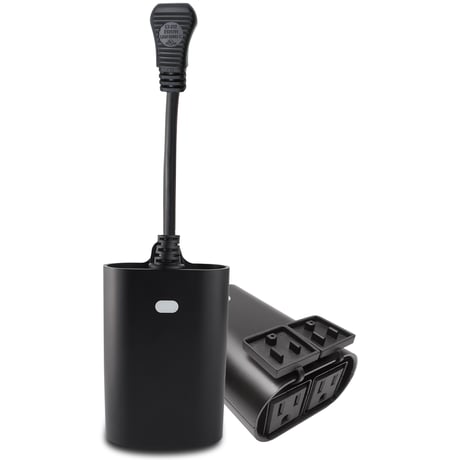
Product Image


1 - Status LED Configuration
Size: 1 byte
Default: 0
Minimum: 0
Maximum: 2
Possible values
| From | To | Desription |
|---|---|---|
| 0 | 0 | outlet on,led on. |
| 1 | 1 | outlet on,led off. |
| 2 | 2 | LED off |
2 - Count Down Configuration
Size: 2 bytes
Default: 0
Minimum: 0
Maximum: 32767
Possible values
| From | To | Desription |
|---|---|---|
| 0 | 32767 | The countdown time, the socket closed) |
3 - Count Down Configuration
Size: 2 bytes
Default: 0
Minimum: 0
Maximum: 32767
Possible values
| From | To | Desription |
|---|---|---|
| 0 | 32767 | The countdown time, the socket closed) |
ADD or Remove the MP24Z from the existing Z-Wave home control network with your primary controller. ---Refer to your primary controller instructions to process the inclusion / exclusion setup procedure. ---When prompted by your primary controller, click the PROG button five times in one second.
ADD or Remove the MP24Z from the existing Z-Wave home control network with your primary controller. ---Refer to your primary controller instructions to process the inclusion / exclusion setup procedure. ---When prompted by your primary controller, click the PROG button five times in one second.
MANUAL RESET ---Power off MP24Z ---keep holding the PROG button ---Power on,Press and keep holding the PROG button for no less than 10 seconds. "Please use this procedure only when the network primary controller is missing or otherwise inoperable."
| Type | Value(s) |
|---|
| Group | Type |
|---|---|
| Heat Alarm | Heat sensor status: Overheat detected (location provided) |