Climax Technology
Z-Wave Router / USB Power Adaptor
RMB-35ZW
Repeater
HW: 255 FW: 4.01
ZM5202
6.81.06
0x018E (398)
0x0004 (4)
0x000F (15)
ZC10-20016856
2020-01-29 17:36:55.460863
N/A
Enhanced 232 Slave
Always On Slave
RMB-35-ZW is an AC Powered Z-Wave Router. After being added into a Z-Wave network, it serves as a router in the Z-Wave network to allow other Z-Wave devices to join the same Z-Wave network. The router also serves as an USB power adaptor with 2 USB ports.
RMB-35-ZW allows access to the “S2 Unauthenticated” class and supports Z-Wave SmartStart inclusion as well as classic inclusion. Z-Wave is a wireless communication protocol that uses a low-power RF radio. By taking advantage of the Z-Wave mesh network, commands can be transmitted to their destination via intermediary “listening” Z-Wave products.
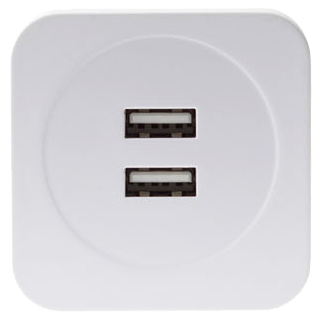
Product Image
1. Connect the Router into the power socket to power on. 2. Put the Z-Wave Gateway or Control Panel into Inclusion mode (please refer to the Z-Wave Gateway or Control Panel manual). 3. Within 1.5 seconds, press the Function Button 3 times. 4. Refer to the operation manual of the Z-Wave Gateway or Control Panel to complete the adding process. 5. If the sensor has already been added (included) into another Z-Wave Gateway/Control Panel, or if the sensor is unable to be added into the current Z-Wave Gateway/Control Panel, please exclude it first (see Removing Device) before attempting to include it into the current Z-Wave Gateway/Control Panel.
1. Put the Z-Wave Gateway or Control Panel into Exclusion mode (please refer to the Z-Wave Gateway or Control Panel manual). 2. Within 1.5 seconds, press the Function Button 3 times and the Router will be removed from the Z-Wave network.
Always On Slave
(Only use factory reset when network Control Panel/Gateway is missing or inoperable). Press and hold the Function Button for 10 seconds to factory reset.
The DSK information is stored in the QR code format that is printed on a label and adhered to the front side of the device, as example shown on the right hand side. 1. Scan the QR Code sticker on the Router to obtain DSK and transfer to the Z-Wave gateway. 2. Plug the Router into a power outlet, a SmartStart inclusion request will be automatically sent to the gateway. 3. The gateway will automatically include the device upon recognition of the device by matching the inclusion request with the DSK obtained .
| Type | Value(s) |
|---|
| Group | Type |
|---|---|
| Power Management |
|