TechniSat
Dimmer
0x00/9497
Light Dimmer Switch
HW: 7 FW: 2.00
ZM5101
6.82.00
0x0299 (665)
0x0004 (4)
0x1A92 (6802)
ZC10-20036883
2020-02-18 14:14:22.421862
N/A
Enhanced 232 Slave
Always On Slave
The smart, wall mounted dimmer is suitable for controlling various light sources in a Z-Wave network and can also be operated manually by hand.
Designed as a drop-in replacement for your single wall switch or dimmer from leading brand manufacturers, TechniSat's Dimmer integrates your wall switch into the Smart Home future. Featuring Z-Wave SmartStart and S2 security for easy installation and secure operation, yourdimmer can now be controlled from your Smart Home as well. ● Full manual operation ● can trigger central scenes via multiple button clicks ● Integrated 230 V auxiliary input for push button or toggle switch types, applicable in alternating switching and or intermediate switching circuits ● Short circuit and overload protection monitoring
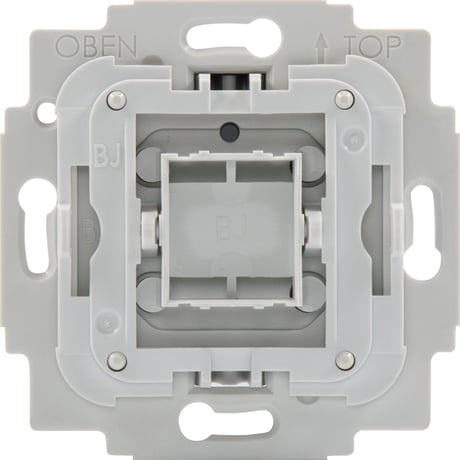
Product Image


1 - Parameter 1
Enable/disable central scene notifications for 2x-5x button presses.Size: 1 byte
Default: 1
Minimum: 0
Maximum: 1
Possible values
| From | To | Desription |
|---|---|---|
| 0 | 0 | Setting this parameter to 0 will disable central scene notifications for multiple (2x-5x) button presses. |
| 1 | 1 | Setting this parameter to 1 will enable central scene notifications for multiple (2x-5x) button presses. |
2 - Parameter 2
Interval of current wattage meter reports in 10 seconds increments.Size: 2 bytes
Default: 3
Minimum: 0
Maximum: 8640
Possible values
| From | To | Desription |
|---|---|---|
| 0 | 0 | Disable unsolicited meter reports of current wattage. |
| 3 | 8640 | Interval of current wattage meter unsolicited reports in 10s increments (30 seconds - 1 day) |
3 - Parameter 3
Interval of active energy meter reports in minutes.Size: 2 bytes
Default: 60
Minimum: 0
Maximum: 30240
Possible values
| From | To | Desription |
|---|---|---|
| 0 | 0 | Disable unsolicited meter reports of active energy. |
| 10 | 30240 | Interval of active energy meter unsolicited reports in minutes (10 minutes - 3 weeks) |
4 - Parameter 4
Operation mode of button TSize: 1 byte
Default: 0
Minimum: 0
Maximum: 1
Possible values
| From | To | Desription |
|---|---|---|
| 0 | 0 | T1 turns output L1 on, T2 turn output L1 off |
| 1 | 1 | T1 and T2 toggle output L1 |
5 - Parameter 5
Configuration of switch type connected to extension connector SSize: 1 byte
Default: 0
Minimum: 0
Maximum: 1
Possible values
| From | To | Desription |
|---|---|---|
| 0 | 0 | a toggle switch type is connected to extension connector S |
| 1 | 1 | a push button switch type is connected to extension connector S |
6 - Parameter 6
Central Scene mapping of extension input SSize: 1 byte
Default: 1
Minimum: 1
Maximum: 3
Possible values
| From | To | Desription |
|---|---|---|
| 1 | 1 | map extension input S to central scene of T1 |
| 2 | 2 | map extension input S to central scene of T2 |
| 3 | 3 | map extension input S to own central scene |
7 - Parameter 7
Dimming curve selectionSize: 1 byte
Default: 0
Minimum: 0
Maximum: 1
Possible values
| From | To | Desription |
|---|---|---|
| 0 | 0 | select dimming curve 1 |
| 1 | 1 | select dimming curve 2 |
1. Install the TechniSat Dimmer. 2. After checking the correct installation, re-enable electrical power at the main fuse or circuit breaker. 3. Start the Z-Wave device add mode on your Z-Wave gateway, according to the gateway‘s manual. 4. Press T1 3x within 1 second. 5. The red status LED is on while the device is added to the Z-Wave network. 6. The green LED is on for 5 seconds after successfully adding the device.
1. Start the Z-Wave device remove mode on your Z-Wave gateway, according to the gateway‘s manual. 2. Press and hold T1 for more than 10 seconds. 3. The red status LED is on while the device is removed from the Z-Wave network. 4. The green LED is on for 5 seconds after successfully removing the device.
Use this procedure only when the network primary controller is missing or otherwise inoperable. 1. Press and hold T2 for more than 20 seconds. 2. The LED will alternately flash red and green for 5 seconds after a successful reset.
The Z-Wave QR-Code is located on the back of the product.
| Type | Value(s) |
|---|
| Group | Type |
|---|---|
| Power Management |
|
| Meter type |
|---|
| Electric Meter Consumption |