ABUS
Z-Wave indoor siren
PLSG10000
Siren
HW: 1 FW: 1.01:00.02
SD3502
6.71.03
0x0403 (1027)
0x0003 (3)
0x0004 (4)
ZC10-20036878
2020-03-03 09:40:17.611843
N/A
Enhanced 232 Slave
Listening Sleeping Slave
The ABUS Z-Wave indoor siren offers more than the loud alarm with 100dB in case of alarm.
The ABUS Z-Wave indoor siren offers more than the loud alarm with 100dB in case of alarm. An additional speaker can play voice messages that provide understandable information about events or status changes of the Z-Wave Gateway. Frequently used notifications are pre-installed, e.g. notifications about activations or deactivations of the security system. Individual notifications can also be transferred to the siren via USB cable and triggered via a Z-Wave gateway. The siren has tamper protection and is battery operated. The integrated hygrometer provides sensor values for building automation and thus, for example, the heating behaviour can be controlled depending on the temperature and humidity. Firmware updates can be conveniently uploaded over the air (OTA) and numerous configuration parameters allow individual adjustments, e.g. the duration of the alarm.
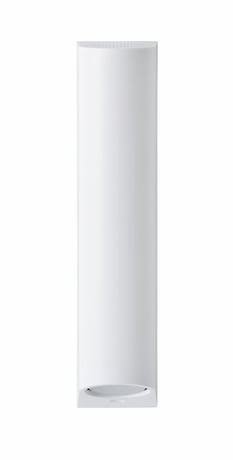
Product Image


1 - Alarm duration
Setting how long an alarm of the piezo siren lasts when triggered.Size: 2 bytes
Default: 180
Minimum: 10
Maximum: 600
Possible values
| From | To | Desription |
|---|---|---|
| 10 | 600 | Adjustable from 10 - 600 in seconds (Hexadecimal: 0x0A - 0x258) |
2 - Temperature & Humidity Report
The interval time of the temperature and humidity report.Size: 2 bytes
Default: 30
Minimum: 1
Maximum: 1440
Possible values
| From | To | Desription |
|---|---|---|
| 1 | 1440 | Adjustable from 1 - 1440 in minutes (Hexadecimal: 0x01 - 0x5A0) |
3 - Sound playback
For Z-Wave controllers that do not support Sound Switch Command Class, the sound to be played can be set here.Size: 1 byte
Default: 0
Minimum: 0
Maximum: 99
Possible values
| From | To | Desription |
|---|---|---|
| 1 | 99 | 1 - 99 = Sound 1 - 99 is played, (Hexadecimal: 0x00 - 0x63) |
| 0 | 0 | No sound is played. |
4 - Temperature report
Additional temperature report, which is sent when the set threshold is exceeded.Size: 1 byte
Default: 5
Minimum: 0
Maximum: 10
Possible values
| From | To | Desription |
|---|---|---|
| 0 | 10 | The value 0 deactivates the temperature report. Adjustable from 0 - 10 in 0.5° steps, e.g. 5 = 2.5°. (Hexadecimal: 0x00 - 0x0A) |
5 - Air humidity report
Additional humidity report that is sent when the set threshold is exceeded.Size: 1 byte
Default: 5
Minimum: 0
Maximum: 10
Possible values
| From | To | Desription |
|---|---|---|
| 1 | 10 | Adjustable from 0 - 10 in 5% steps, e.g. 5 = 25%, (Hexadecimal: 0x00 - 0x0A) |
| 0 | 0 | Humidity report is disabled. |
6 - Sabotage alarm
Determines whether sound file #2 should be played directly in case of a sabotage alarm.Size: 1 byte
Default: 0
Minimum: 0
Maximum: 1
Possible values
| From | To | Desription |
|---|---|---|
| 0 | 0 | 0 = The siren does not play a sound file. |
| 1 | 1 | 1 = The siren plays sound file #2. (Hexadecimal: 0x00 - 0x01) |
Activate the inclusion mode (teach-in mode) on the Z-Wave controller. (please refer to the Z-Wave controller manual for more details) Press the "+" button (Add / Inclusion) in your Z-Wave app and follow the instructions to set the Z-Wave controller to inclusion mode. Keep the device within reach of the Z-Wave controller. Remove the safety strip from the battery compartment. We recommend the exclusive use of the original GP batteries from the scope of delivery. The device supports automatic inclusion, i.e. it automatically goes into inclusion mode when it is powered and not yet connected to a Z-Wave controller. The LED starts flashing. Alternative Inclusion: If you have already inserted the batteries or removed the security strip, press the Link button 3 times quickly (within 1.5 seconds) to start the inclusion process.
Activate the exclusion mode (learn mode) on the Z-Wave controller. (please refer to the Z-Wave controller manual for more details) Press the "-" button (Remove / Exclusion) in your Z-Wave app and follow the instructions to set the Z-Wave controller to Exclusion mode. Press the Link button 3 times quickly (within 1.5 seconds) to start the exclusion on the device.
It´s a FLIRS device, it does not support wake up command class
Press the Link button 3 times quickly (within 1.5 seconds). Press quickly (within 1 second) a fourth time and hold down the Link button for at least 5 seconds. The siren is now reset to factory settings. Hint: This procedure should only be used if the primary network controller is not capable of acting. If the device is set to factory default, the status is set to "not included" and the association settings and possible configurations are reset to default.
The DSK code (Device-Specific Key) is the device-specific key of your device and is required for secure teach-in (inclusion) via S2 on the Z-Wave controller. The first 5 digits of the DSK code can be found on the bottom of the product. Please enter these in the inclusion process when prompted. Alternatively, you can transfer the entire DSK code that you find on the enclosed DSK card to the Z-Wave controller via QR Code Scan. Please keep the DSK card in a safe place!
| Group | Type |
|---|---|
| Siren | Siren status: Siren active |
| Sensor type |
|---|
| Air Temperature |
| Humidity |