Vision
2 in 1 Universal Remote
ZA1502JP-7
Notification Sensor
HW: 5 FW: 1.00
ZGM130
7.12.2
0x0109 (265)
0x202E (8238)
0x2E02 (11778)
ZC12-20040045
2020-03-06 14:50:26.501779
N/A
Enhanced 232 Slave
Reporting Sleeping Slave
Yes
The Arrival Sensor combines one extra functional button, it's very useful for home automation and protects family members.
Arrival sensor combines a unique button whose function can be defined as one of below: - Scene Control - Arm/Disarm - On/Off Control - Emergency Help
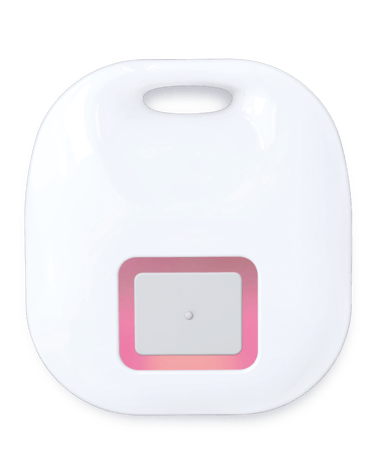
Product Image


1 - The Synchronic Interval Time
Define the synchronic interval time between arrival sensor and the gateway, the basic interval time is 16 seconds and the default value is "4" (64seconds=4x16seconds) 1 ~ 127 (unsigned decimal) Seconds (default: 4 (=16seconds x 4))Size: 1 byte
Default: 4
Minimum: 1
Maximum: 127
Possible values
| From | To | Desription |
|---|---|---|
| 1 | 127 | from 16 seconds to 2032 seconds |
For “Inclusion” in (adding to) a network: Put the Z-Wave™ Interface Controller into “inclusion” mode, and following its instruction to add the ZA1502-7 to your controller. To get in the “inclusion” mode, quick press the button of ZA1502-7 5 times for sending the NIF, the Red/Green LED will flash 5 times quickly before the learning process for showing the sensor has not been included. After sending NIF, Z-Wave will send the auto inclusion, the Red/Green LED will flash 1 second after successful inclusion; otherwise, ZA1502-7 will go to sleep after 30 seconds. The red LED will be flashing while the inclusion is proceeding.
For “Exclusion” from (removing from) a network: Put the Z-Wave™ Interface Controller into “exclusion” mode, and following its instruction to delete the ZA1502-7 from your controller. Quick press the button of ZA1502-7 5 times to be excluded, the Red/Green LED will flash 5 times quickly after successful exclusion. Note: All user and network settings will be cleared and the device reset to factory defaults when the device is excluded.
Wake Up Notification: Press the button of ZA1502-7 2 times will active the “Wake Up Mode” for receiving all the command class from the controller. The ZA1502-7 will go to sleep mode without receiving any Z-Wave command till 10 seconds. It will proceed all the commands after sending the “Wake Up Notification”
Factory Default Reset: Quick press the button of ZA1502-7 4 times and hold the button around 5 seconds until the Red LED is on to send the “Device Reset Locally Notification” command and reset to the factory default. (Remark: This is to be used only in the case of primary controller being inoperable or otherwise unavailable.)
Auto Wake Up, Battery Capacity Detection, Explorer Frame & OTA
The DSK label will on the backside of ZA1502-7, Scan the DSK label to access the SmartStart if gateway 's UI supports SmartStart. (Remark: The QR code is for use with Z-Wave SmartStart by using “DSK,” “Device Specific Key,” “PIN,” or “PIN code,” etc.)
| Type | Value(s) |
|---|
| Group | Type |
|---|---|
| System | Heartbeat |
| Emergency Alarm | Contact medical service |
| Clock | Timer ended |