Heatit controls
Heatit Z-Repeater
45 126 86
Repeater
HW: 255 FW: 4.01
ZM5202
6.81.06
0x019B (411)
0x0003 (3)
0x3600 (13824)
ZC10-20036881
2020-03-05 18:01:22.19223
N/A
Enhanced 232 Slave
Always On Slave
Yes
The Heatit Z-Repeater Dual USB 2A is a multifunctional AC Z-Wave range extender with two USB power adapters that allow you to charge two devices at the same time. Ideal for extending the Z-Wave signal to areas with blind spots - a solution for anyone experiencing poor wireless connectivity.
The Heatit Z-Repeater Dual USB 2A is a multifunctional AC Z-Wave range extender with two USB power adapters that allow you to charge two devices at the same time. Ideal for extending the Z-Wave signal to areas with blind spots - a solution for anyone experiencing poor wireless connectivity. With the rechargeable backup batteries, the device will still be able to operate for up to 6 hours after a power failure. Important battery-operated units such as door locks, smoke detectors and burglary alarms will still work during a blackout.
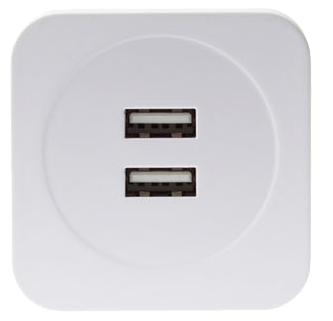
Product Image
1. Connect the Router into the power socket to power on. 2. Put the Z-Wave Gateway or Control Panel into Inclusion mode (please refer to the Z-Wave Gateway or Control Panel manual). 3. Within 1.5 seconds, press the Function Button 3 times. 4. Refer to the operation manual of the Z-Wave Gateway or Control Panel to complete the adding process. 5. If the sensor has already been added (included) into another Z-Wave Gateway/Control Panel, or if the sensor is unable to be added into the current Z-Wave Gateway/Control Panel, please exclude it first (see Removing Device) before attempting to include it into the current Z-Wave Gateway/Control Panel.
1. Put the Z-Wave Gateway or Control Panel into Exclusion mode (please refer to the Z-Wave Gateway or Control Panel manual). 2. Within 1.5 seconds, press the Function Button 3 times and the Router will be removed from the Z-Wave network.
Always On Slave (AOS)
(Only use factory reset when network Control Panel/Gateway is missing or inoperable). *. Press and hold the Function Button for 10 seconds to factory reset.
The DSK information is stored in the QR code format that is printed on a label and adhered to the front side of the device, as example shown on the right hand side.
| Type | Value(s) |
|---|
| Group | Type |
|---|---|
| Power Management |
|