Vision
Door/Window Sensor
ZD2106KR-7
Notification Sensor
HW: 9 FW: 32.04
ZGM130
None
0x0109 (265)
0x2001 (8193)
0x01D1 (465)
ZC12-20040050
2020-04-21 11:33:44.699437
N/A
Enhanced 232 Slave
Reporting Sleeping Slave
Yes
Battery-powered door and window sensor with a magnetic reed switch for monitoring the door/window's open and close.
The ZD2106 Door and Window sensor is used in any Z-Wave network to detect the opening or closing of a door or window. The Slim design is very attractive. The ZD2106 is powered by one coin battery (CR2032), the battery life is more than 3 years. The ZD2106 features tamper-proof switch, low battery warning and can be firmware updated over the air.
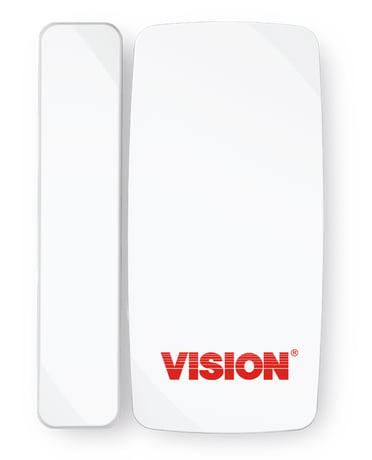
Product Image
For “Inclusion” in (adding to) a network: Put the Z-Wave™ Interface Controller into “inclusion” mode, and following its instruction to add the ZD2106 to your controller. To get in the “inclusion” mode, make sure the rear cover has been closed firmly and trigger the reed switch (close & open) 3 times within 5 seconds for sending the NIF. After sending NIF, Z-Wave will send the auto inclusion; otherwise, ZD2106 will go to sleep after 30 seconds.
For “Exclusion” from (removing from) a network: Put the Z-Wave™ Interface Controller into “exclusion” mode, and following its instruction to delete the ZD2106 from your controller. Make sure the rear cover has been closed firmly and trigger the reed switch (close & open) 3 times within 5 seconds for sending the NIF to be excluded. Note: All user and network settings will be cleared and the device reset to factory defaults when the device is excluded.
Wake Up Notification: Remove the rear cover, ZD2106 will be “Wake Up Mode” for receiving all the command class from controller and waiting for 10 seconds to send Wake Up Notification. If ZD2106 received “Wake Up No More Information” command then the ZD2106 will go to sleep mode or it will wait 10 seconds then go sleep mode. It will proceed all the commands after sending the “Wake Up Notification”
Factory Default Reset: Open the rear cover to trigger the rear cover switch for sending the Alarm Report and trigger the reed switch (close & open) 10 times in 10 seconds, ZD2106 will send the “Device Reset Locally Notification” command and reset to the factory default. (Remark: This is to be used only in the case of primary controller being inoperable or otherwise unavailable.)
PowerLevel Control, Battery Votlage Detection(Auto report low battery),OTA function
The DSK label will on the backside of ZD2106-7, Scan the DSK label to access the SmartStart if gateway 's UI supports SmartStart
| Type | Value(s) |
|---|
| Group | Type |
|---|---|
| Access Control |
|
| Home Security |
|