HAVEN
Haven Connect Z
HL1-CNT-001-Z
Lock
HW: 1 FW: 0.51
ZGM130
7.12.2
0x043A (1082)
0x0004 (4)
0x0001 (1)
ZC12-20050062
2020-05-08 13:04:03.5833
N/A
Enhanced 232 Slave
Listening Sleeping Slave
HAVEN Connect is a preventative smart lock 10X stronger than a deadbolt.
HAVEN is a first-of-its-kind preventative home security product. Our floor-anchored, electronic locking wedge fortifies the door at its strongest point – the base. Made with steel, Delrin™, and military grade nylon, the HAVEN system is 10x stronger than your deadbolt. Technical Details: - Installs in minutes - Operated electronically or manually with a foot pedal - Composition: Steel, Delrin™, and military grade nylon - Connection: Z-Wave (700-Series) with S2 Security - Strength: 10x stronger than your deadbolt, Haven provides an additional layer of protection in an effort to deter a break-in at the door - Main Battery: Rechargeable 3.7V 5000MAH Lipo battery
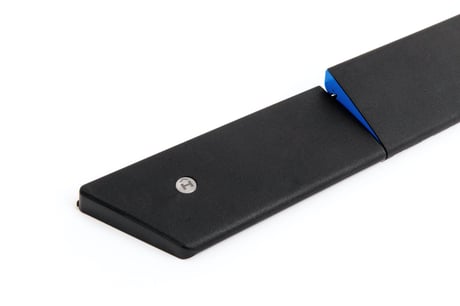
Product Image
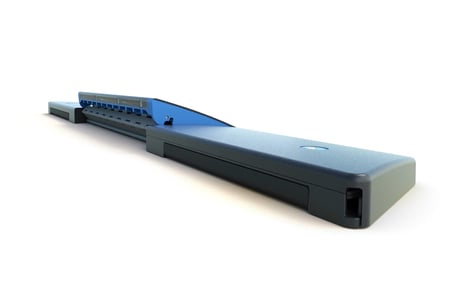
Back View - Locked
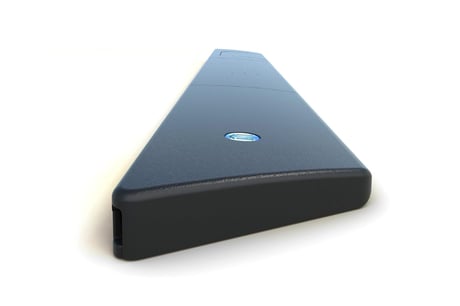
Side View - Unlocked
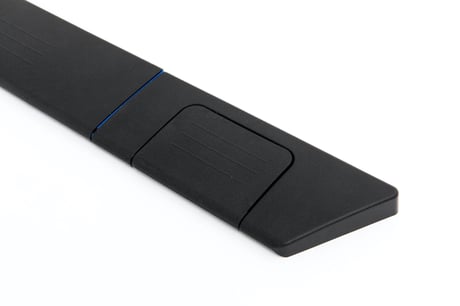
Foot pedal for manual operation


1 - Heartbeat LED interval
Heartbeat (magenta) LED flash rate in seconds. Set to zero to disable.Size: 1 byte
Default: 30
Minimum: 0
Maximum: 60
Possible values
| From | To | Desription |
|---|---|---|
| 0 | 60 | LED flash rate in seconds. Example: 30 = LED flash interval of 30 seconds. |
2 - Gate Operation Minimum Battery Level %
Minimum battery level at which the gate will activate.Size: 1 byte
Default: 10
Minimum: 0
Maximum: 50
Possible values
| From | To | Desription |
|---|---|---|
| 0 | 50 | The percent battery level in which the system enters "Critical Low Battery" mode. Example: 10 means 10% is critical low battery |
3 - Impact Detection Parameter 1
Impact detect parameter. Do not adjust unless advised by Haven Lock.Size: 1 byte
Default: 2
Minimum: 1
Maximum: 10
Possible values
| From | To | Desription |
|---|---|---|
| 1 | 10 | Represents "tens" of milliseconds to debounce the impact detection system. Example: 2 means 20ms debounce |
4 - Impact Detection Parameter 2
Impact detect parameter. Do not adjust unless advised by Haven Lock.Size: 1 byte
Default: 8
Minimum: 2
Maximum: 18
Possible values
| From | To | Desription |
|---|---|---|
| 2 | 18 | From accelerometer data sheet regarding impact transient detection, you can set the threshold with values that represent a light movement to a strong acceleration transient. Example: 8 represents an impact detection equivalent to moderate forced intrusion. |
Setting your controller to include mode (standard or NWI) and momentarily pressing the Pairing button will add the Haven Lock to the network.
The device can be removed from a network by setting the controller to exclude mode (standard or NWE) and momentarily pressing the Pairing button.
N/A - It's a FLiRS device so it wakes up every second to see if anyone is trying to talk to it.
Under Button Functions (Step 2) "Default settings and remove from network: Hold Pairing button until Red LED comes on and then release (about 10 seconds). Please use this procedure only when the network primary controller is missing or otherwise inoperable." Under Network Inclusion/Exclusion (Bullet 3 last 3 sentences) "This will initiate the Device Reset Locally Command Class. The device will be removed and all parameters will be reset to default. Please use this procedure only when the network primary controller is missing or otherwise inoperable."
Excerpt from the Manual "Locate the DSK via the QR code label under the Haven electronics hood adjacent to the buttons and LEDs." In addition, it will located on a card in the box.
| Type | Value(s) |
|---|
| Group | Type |
|---|---|
| Access Control |
|
| Home Security | Impact detected |
| Power Management |
|